

Adding the component to your product
Adding the Referral Component to your product is straightforward. You can get it up and running in your test environment in just a few minutes. Simply follow the instructions or the Referral Component Quickstart. Cello provides a few different options to add the component to your product. You can use either the default Cello button (FAB) or integrate Cello into a menu via the Custom Launcher. Either option can open with the component appearing as a pop-up or modal view.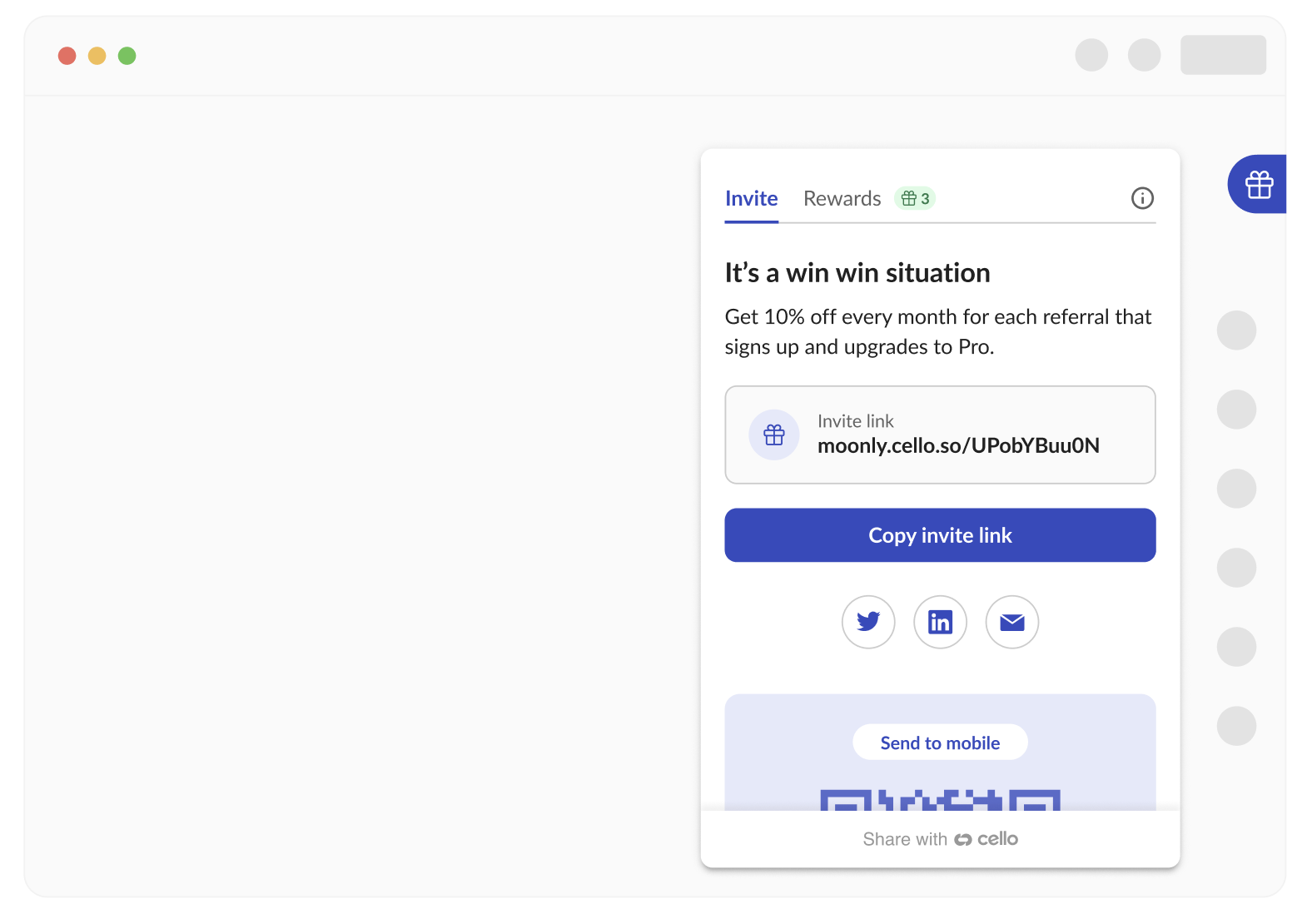
First-time experience
The Cello Referral Component provides an onboarding experience for first-time users of the program. It’s a way to get users excited about the opportunity and explain how the program works in 3 easy steps. All the texts of the onboarding experience can be customized to better explain your unique value proposition.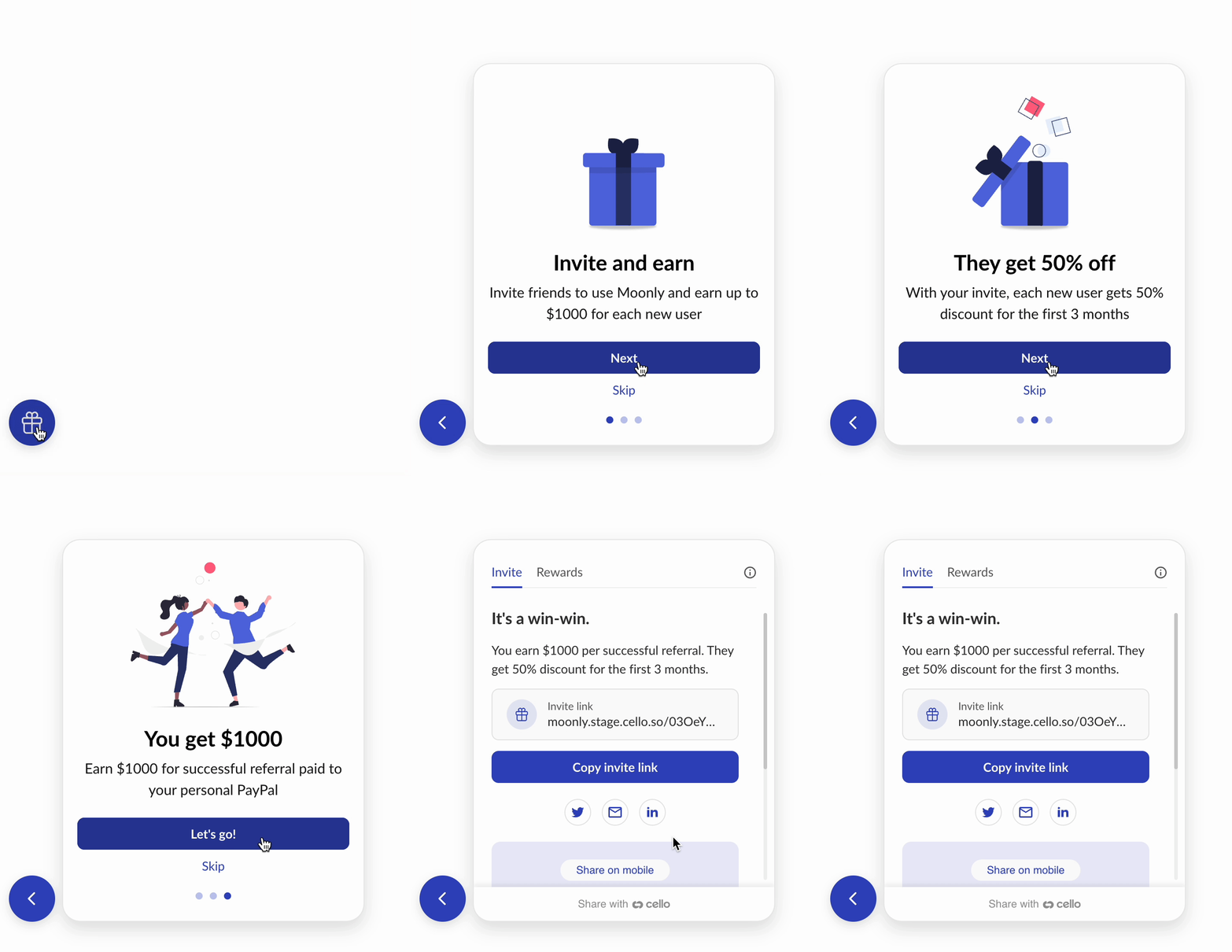
Your offer, front and center
The referral program text and offer are fully customizable and can be translated into multiple languages.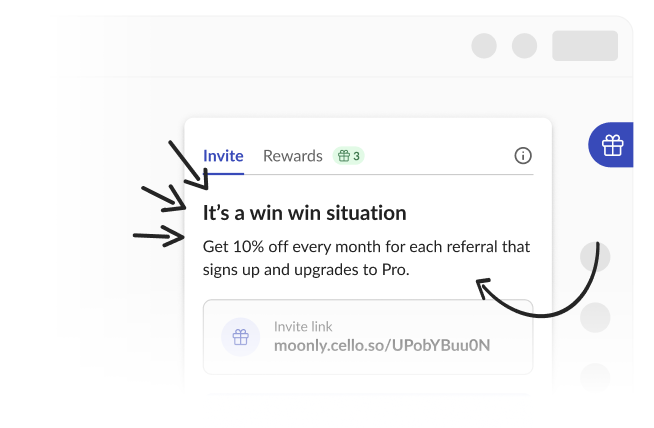
Easy sharing
Cello provides many sharing options to choose from. Simple link copy, social sharing including Twitter, Facebook, LinkedIn, and email, and transfer to mobile by using a QR-code where a user can forward the invite using all the options provided directly from their mobile device.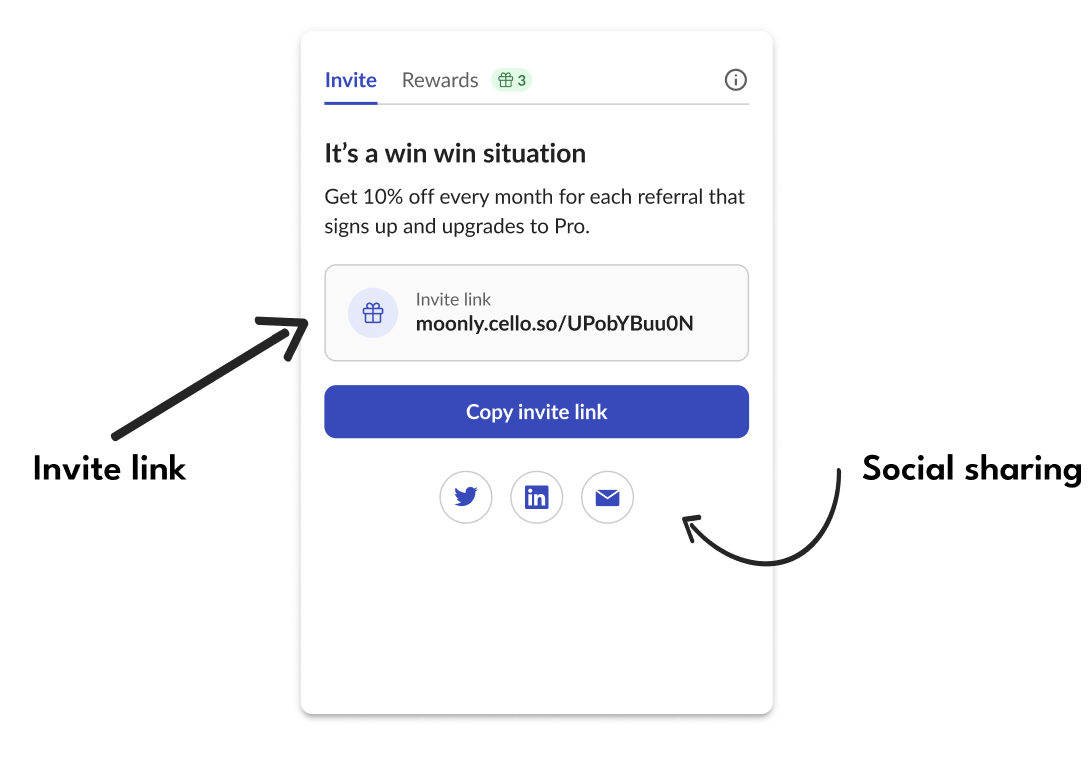
Engaging users with announcements
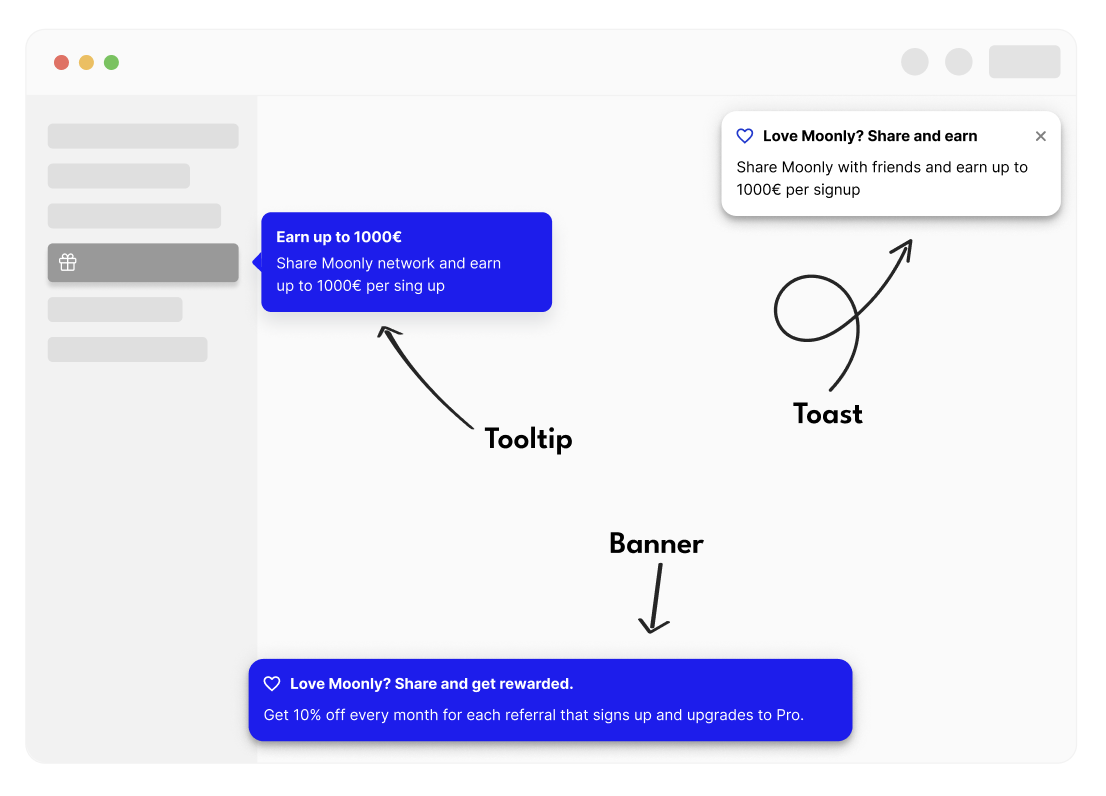
The Cello Referral Component provides a robust announcement feature to activate first-time referrers, keep the referral program top of mind, encourage repeat behaviour, and keep your users up to date with important updates.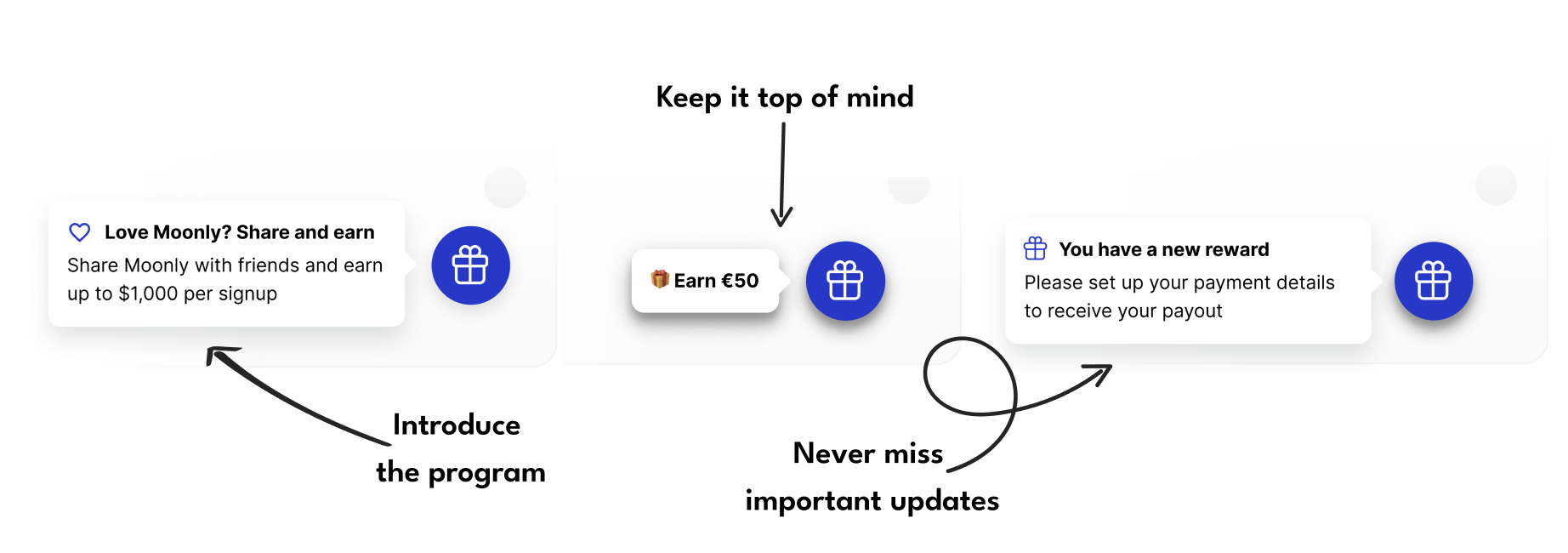 Announcements can be customized based on the Referral Component integration option you have chosen. Anchor announcements to a specific menu item or choose to have them appear as toasts or banners.
Keeping users update with emails
Referral programs thrive on timely engagement. Knowing instantly when there’s activity tied to a referrals means your users can celebrate successes and continue to share more effectively. Whether it’s their first successful share, a brand-new signup or unlocking a new reward, email notifications ensure they never miss a beat in the referral journey.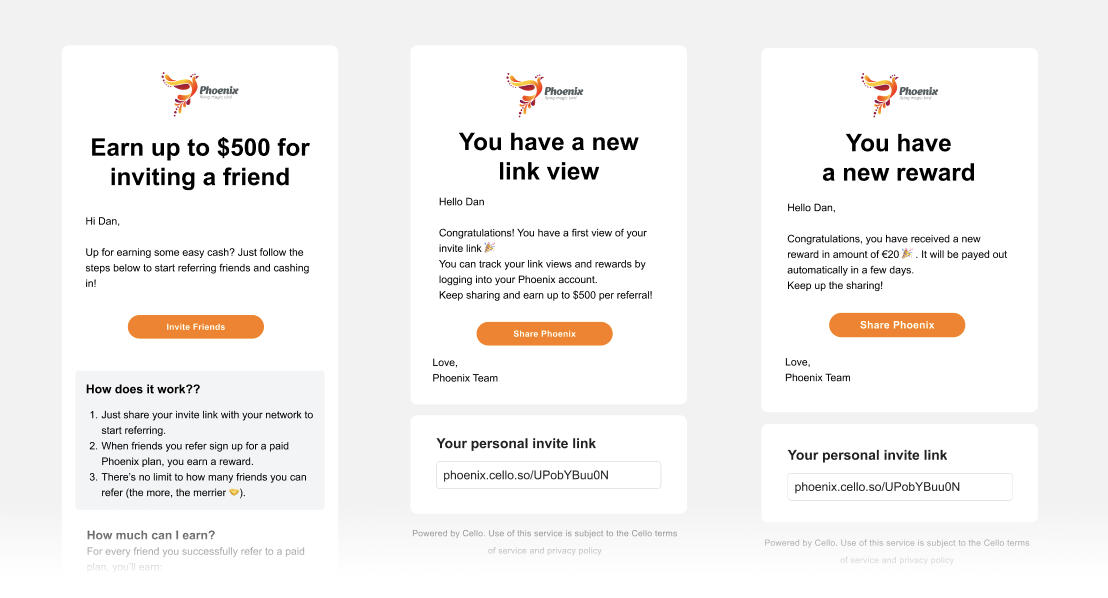
Getting Rewarded
When users receive their first reward, they will be prompted to provide payment details and can select how they would like to receive their reward. They may also be asked to provide additional information if required to receive a payment in their specific country.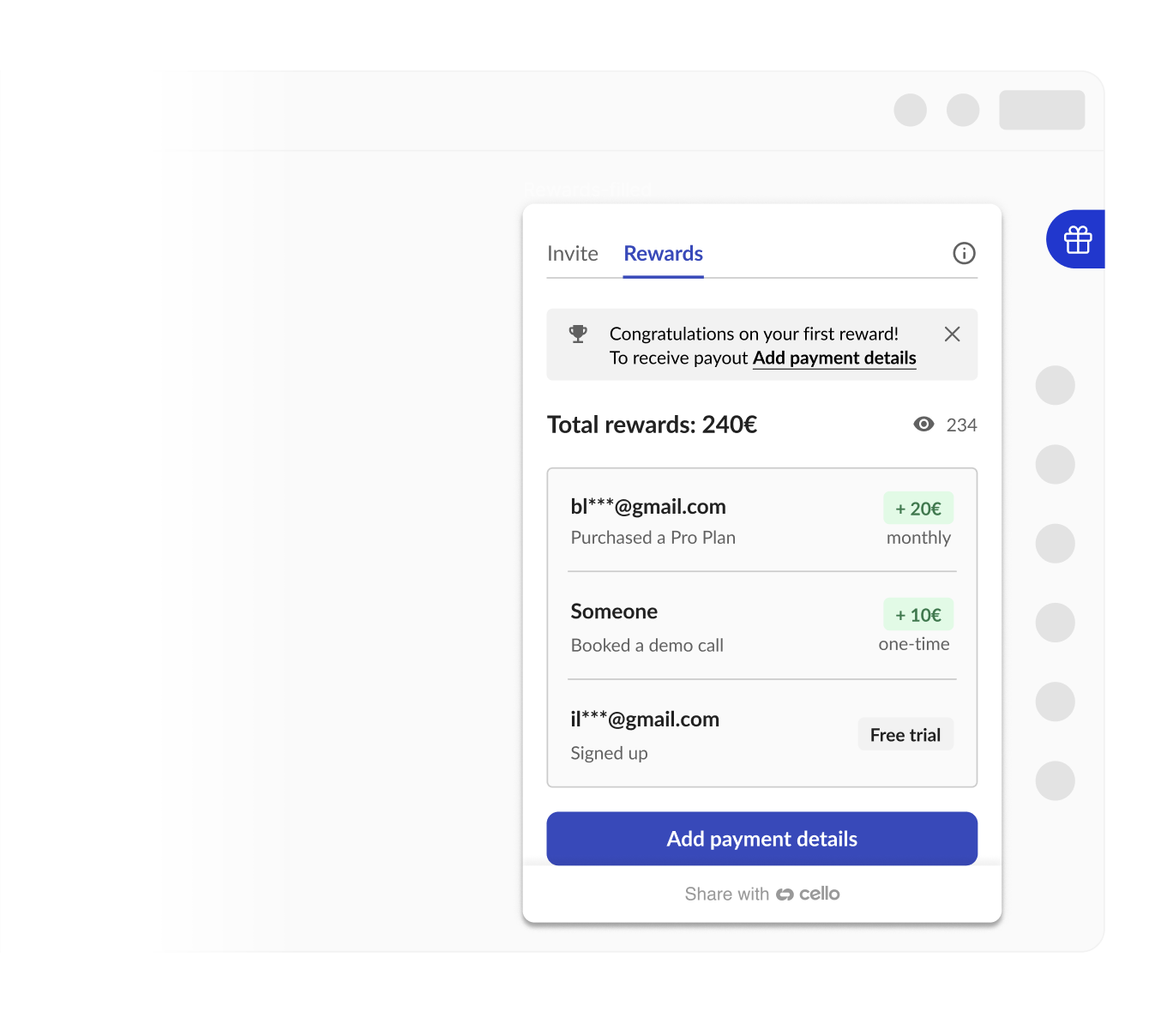
Reward Countries and Payout Methods
Cello supports a growing list of countries* where users can receive reward payments. Cello plans to continue expanding support for additional countries based on user feedback. Users from countries not on the supported list cannot set up a payout method - their country will not appear in the payout country dropdown. This is due to PayPal-side restrictions and compliance, tax, or regulatory requirements. There are two approaches for handling users in unsupported countries:- Hide the widget - pass
productUserCountryCodeduringcello.boot(). If the country is not supported, the Referral Component will not be shown to that user. This prevents a confusing experience where a user can share and earn rewards but cannot receive a payout. - Show the widget to everyone - users in unsupported countries can still share and earn rewards, but will not be able to receive payouts. This is simpler to implement and avoids the risk of incorrectly hiding the widget from eligible users.
productUserCountryCode is the country your product has on file for the user, which may differ from the country of their PayPal account (their actual payout country). This creates edge cases:
- If a user’s product country is unsupported but their PayPal account is in a supported country, they will be incorrectly hidden from the widget even though they could receive payouts.
- If a user’s product country is supported but their PayPal account is in an unsupported country, the widget will be shown but they won’t be able to complete payout setup.
Edge case - PayPal account country vs. physical location: A user may be physically located in an unsupported country (e.g. Argentina) but hold a PayPal account registered in a supported country (e.g. Brazil). In this case, they should enter the address matching their PayPal account’s country in the widget so the payout details align. Cello cannot issue payouts to countries not on the supported list regardless of physical location.
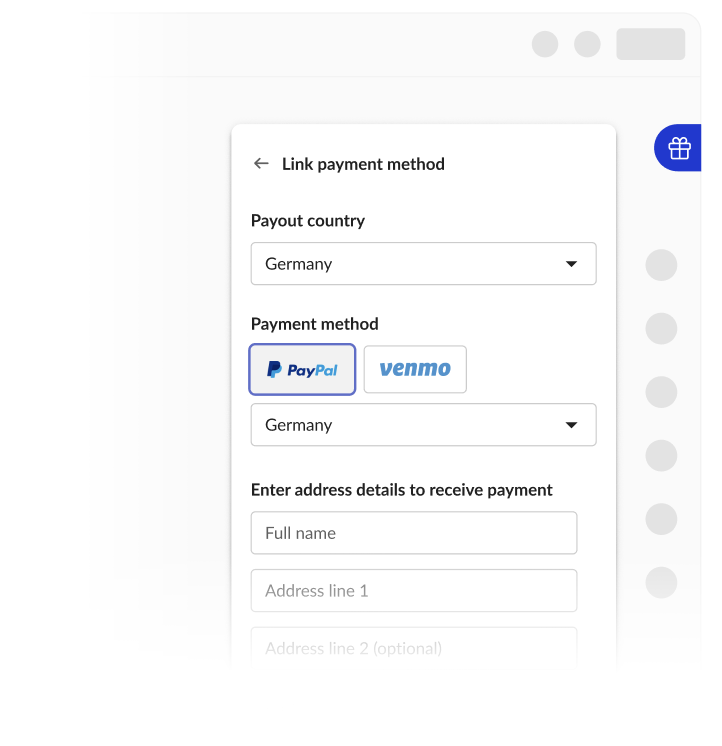 All users are subject to the Cello Terms of Service and Privacy Policy and can access details through the links that are provided.
When linking a payout method, users provide their payout country and basic address details so Cello can issue credit notes and payout statements with the correct VAT and documentation treatment. Users can claim rewards as an individual or as a business; business claims may require a VAT number where applicable. Any additional tax or identity verification is handled by PayPal or Venmo as part of their own onboarding and compliance requirements.
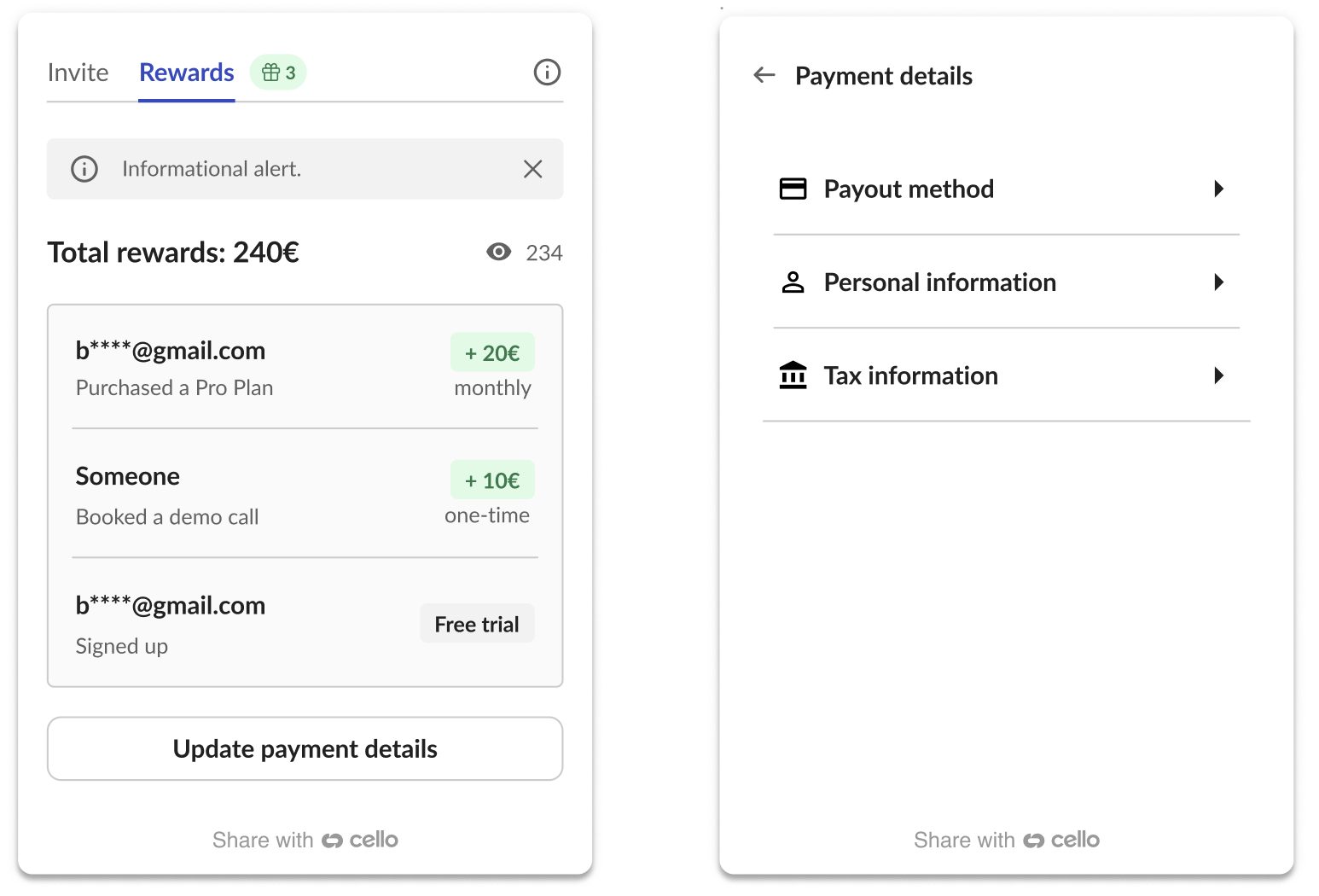
Users can download credit notes / payout statements directly from the Cello Referral Component. If they have at least one reward, they will see a “Tax Information” link from the rewards tab under “Update Payment Details”. Users who no longer have access to the component can contact support@cello.so to receive their credit notes through a standard support process.
All users are subject to the Cello Terms of Service and Privacy Policy and can access details through the links that are provided.
When linking a payout method, users provide their payout country and basic address details so Cello can issue credit notes and payout statements with the correct VAT and documentation treatment. Users can claim rewards as an individual or as a business; business claims may require a VAT number where applicable. Any additional tax or identity verification is handled by PayPal or Venmo as part of their own onboarding and compliance requirements.
Users can download credit notes / payout statements directly from the Cello Referral Component. If they have at least one reward, they will see a “Tax Information” link from the rewards tab under “Update Payment Details”. Users who no longer have access to the component can contact support@cello.so to receive their credit notes through a standard support process.
 Supported Reward Countries: Australia, Austria, Bahrain, Belgium, Bermuda, Botswana, Brazil, Bulgaria, Canada, Cayman Islands, Chile, Croatia, Czechia, Denmark, Dominican Republic, Estonia, Faroe Islands, Finland, France, Georgia, Germany, Gibraltar, Greece, Greenland, Guatemala, Hong Kong SAR, Hungary, Iceland, India, Ireland, Israel, Italy, Japan, Latvia, Lesotho, Liechtenstein, Lithuania, Luxembourg, Malta, Mauritius, Mozambique, Netherlands, Nicaragua, Norway, Oman, Philippines, Poland, Portugal, Qatar, Romania, San Marino, Saudi Arabia, Senegal, Slovakia, Slovenia, South Africa, Spain, Sweden, Switzerland, United Kingdom, United States, Uruguay.
Texts and language
The Referral Component is fully translated and supports 10+ languages: English, German, Spanish, French, Dutch, Italian, Portuguese, Japanese, Danish, Slovak, and Romanian. Defaults- English is enabled by default for every product and acts as the fallback whenever an unenabled language is requested.
- Enable additional languages on top of English for your product
- Change your product’s default language to one of the enabled languages
- Update the wording of any text (in any language) in the widget, New User Banner, announcements, or emails
language SDK parameter), but it does not expose translation strings - customers cannot write or edit translated copy themselves.
Selecting language at runtime
The component auto-detects the user’s language, or you can set it explicitly via cello.boot() and changeLanguage().