

Benchmarked Metrics
Cello provides benchmarks for four key metrics across the referral funnel. Benchmarks are hidden by default. Toggle them on from any supported chart to see how you compare.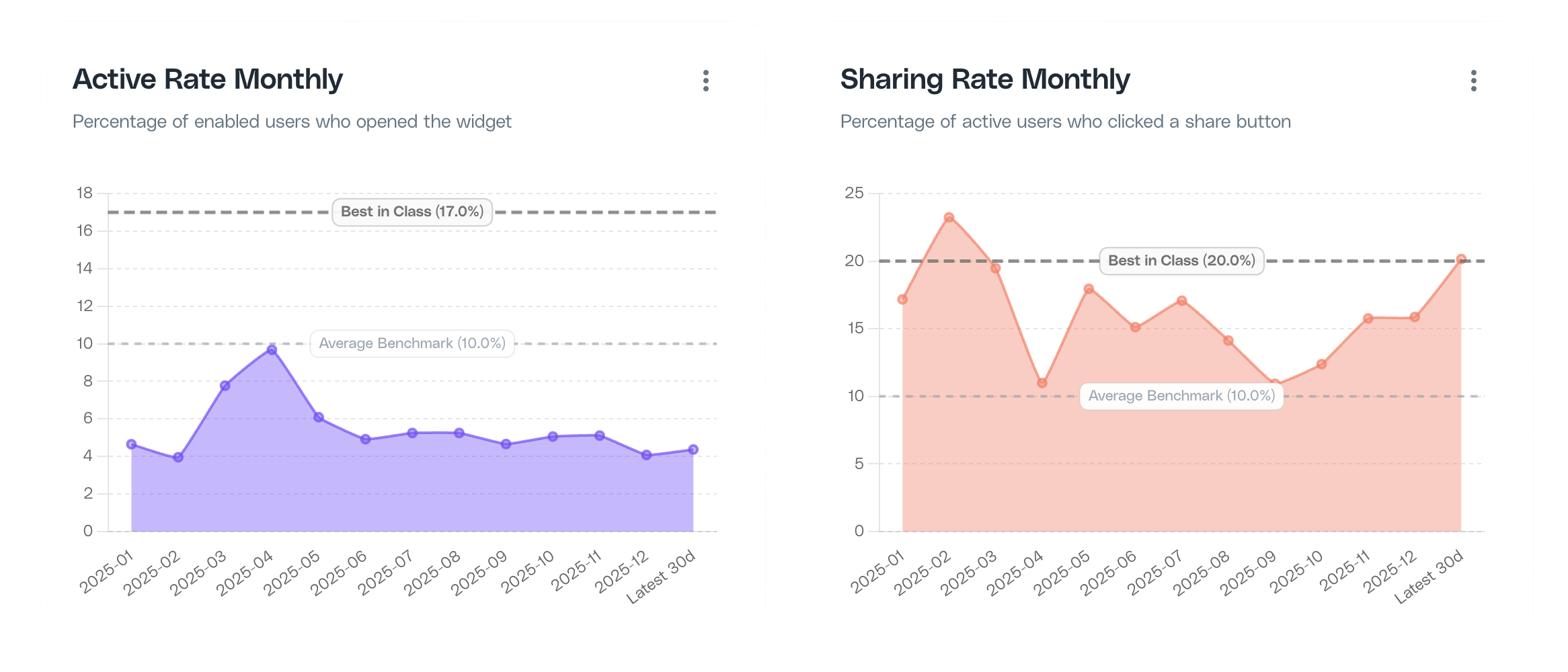
-
Active Rate: Percentage of enabled users who open the referral widget. Calculated as
Active Referrers / Enabled Referrers. -
Sharing Rate: Percentage of active users who share their referral link. Calculated as
Sharing Referrers / Active Referrers. -
Signup Rate: Percentage of unique referral link views that convert to signups. Calculated as
New User Signups / Unique Views. -
Unique Views per Share: Average number of unique people who view each shared referral link. Calculated as
Unique Views / Sharing Referrers.
Sharing rate benchmarks are adjusted based on your active rate. Cello automatically determines which benchmark band applies to you, so you’re always comparing against relevant peers.
Methodology
Benchmarks are calculated from anonymized, aggregated monthly performance rates across all Cello customers. Your performance is compared using your latest 30-day rolling rates. Charts show two benchmark lines:- Median (Average): The 50th percentile, half of customers perform better, half perform worse
- Best in Class: The 75th percentile, top 25% of customers achieve this or better
- Free Trial: Customers offering free trials before purchase
- Freemium: Customers with free tiers and paid upgrades
- Demo Only: Customers requiring demos before purchase
- Overall: All customers combined (used when your GTM model doesn’t match the above)
Interpreting Your Results
Visit Performance Recommendations to understand your score, or go directly to the Recommendations page in the Cello Portal to see your specific next steps. Above Best in ClassYour program is in the top 25% for this metric. This is a strength worth maintaining - consider what’s driving this success and whether those practices can be applied elsewhere. Between Median and Best in Class
You’re performing above average but have room to reach best-in-class status. Review the relevant best practices guides to identify optimization opportunities. Below Median
There’s a clear opportunity for improvement. See recommendations in the Cello Portal or explore these best practices:
- Low active rate? See Increase Discoverability to get more users opening the widget
- Low sharing rate? Review Contextual Sharing to prompt referrals at high-intent moments
- Low signup rate? Check Optimizing Signup Conversion for landing page and flow improvements
cello_get_program_metrics via the Cello MCP.