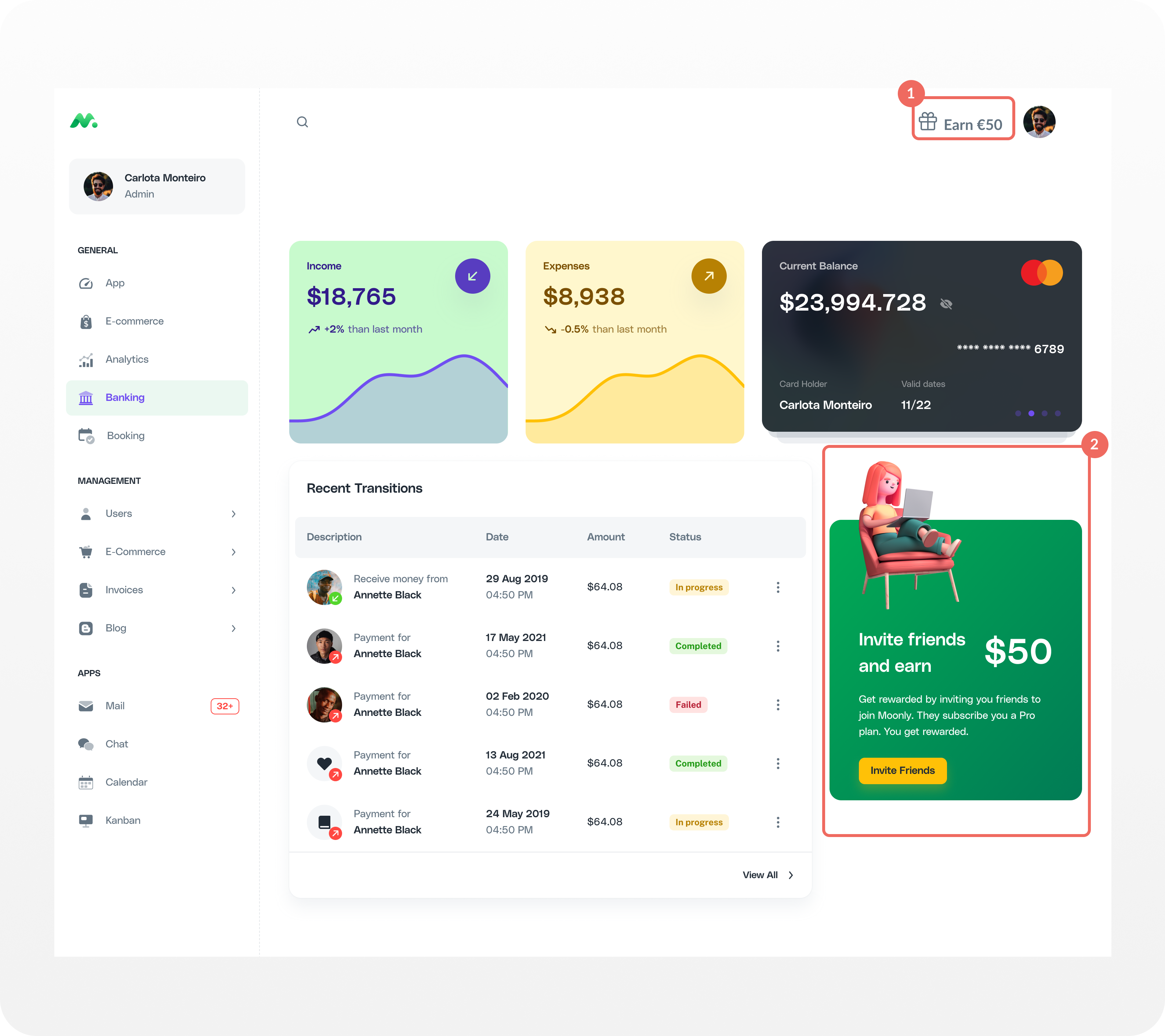
- 1st-level visibility - Creating basic awareness for your referral program with a launcher that is always visible is an absolute must-have to see success.
- Multiple referral launchers - Add launchers in positions where they naturally attract user attention, the biggest lever for recurring traction
1st-level visibility
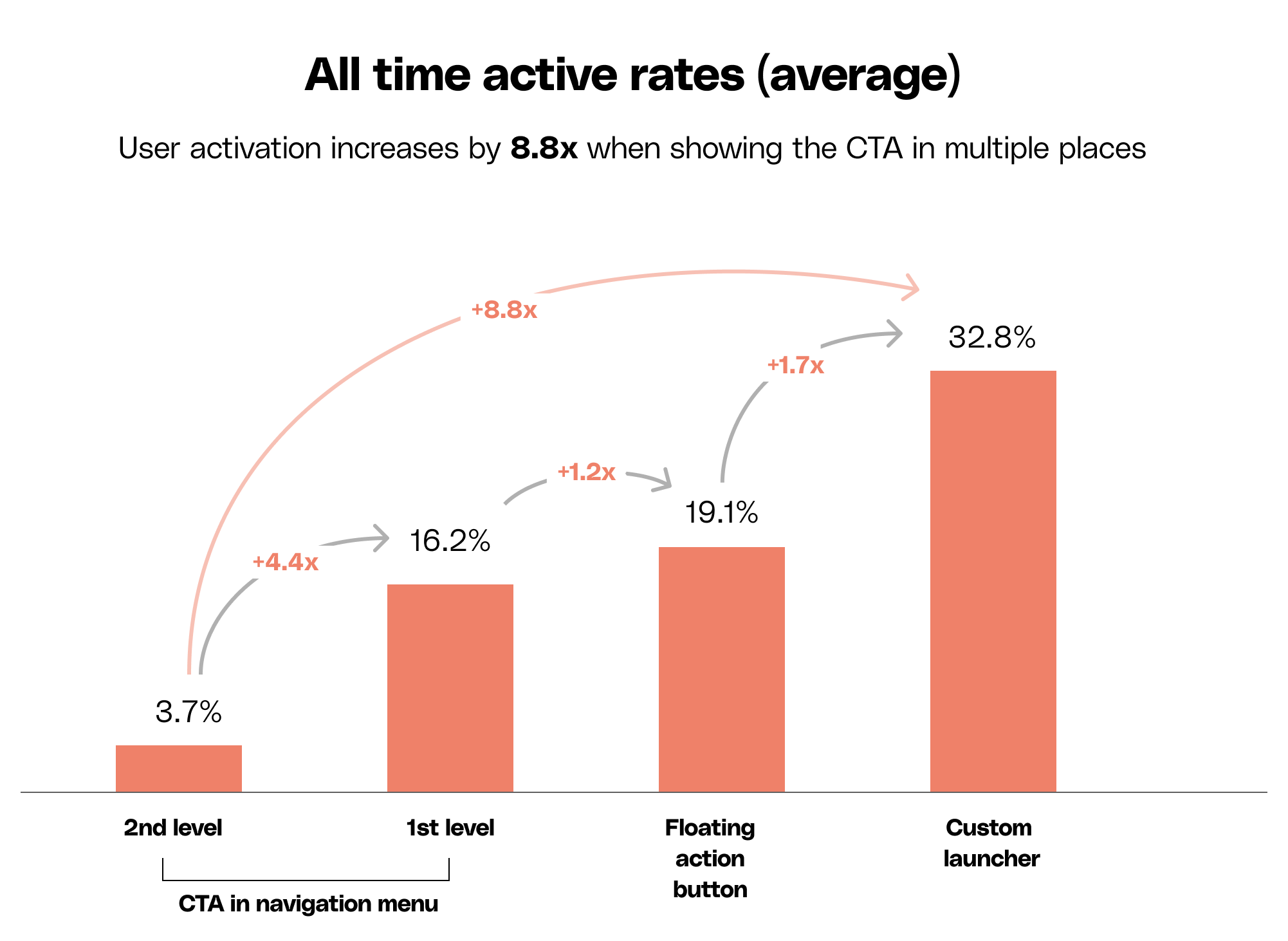
+4.4x activation rate +21 score points Display the CTA link in the navigation menu at 1st-level. When the link is displayed in a prominent position on screen, it can improve activation significantly. Its positioning is crucial. If the CTA is placed in a secondary menu, the activation rate is drastically reduced (<1%).How to implement?
- Choose a 1st level menu position and give it a unique html identifier.
- Decide what your CTA is. We advice adding a reward amount as it increases activation by 1.5x and adds 6 points to your score.
- Set the Custom Launcher Selector in Cello Portal → User experience to match your element identifier.
Multiple referral launchers
+8.8x activation rate +14 score points Integrating multiple launchers into your product pages can significantly increase activation, especially on pages where users are primed for sharing such as upgrades, subscriptions, sharing content, and inviting team members. The benefits of adding a custom launcher is that you can craft an activation message specific to that particular context.How to implement?
You can add a custom button anywhere in your UI and have it open the Referral Component.- Identify where to add the button together with your growth manager and UX designer.
- Use window.Cello(“open”) method to open the Referral Component when the button is clicked.
Performance impact
The chart below shows all Cello average active users rates. User activation increases by 8.8x when applying these 2 recommendations.