

How it works
Let’s review the different use cases. Many collaboration products have a natural word-of-mouth motion when your user creates and shares your product assets with non-users. Here are a few examples:- a presentation in Pitch
- a Miro board
- Notion space
- an email in SuperHuman / Flowrite
- a recording with Tldv
- a design in Figma/Canva
Typical flow
1
Create and share an asset
Your user creates an asset like a video or a design and shares it with a non-user
2
View asset and sign up
Potential new user opens the asset, that they can view without signing up. They are delighted by the experience and decide to sign up.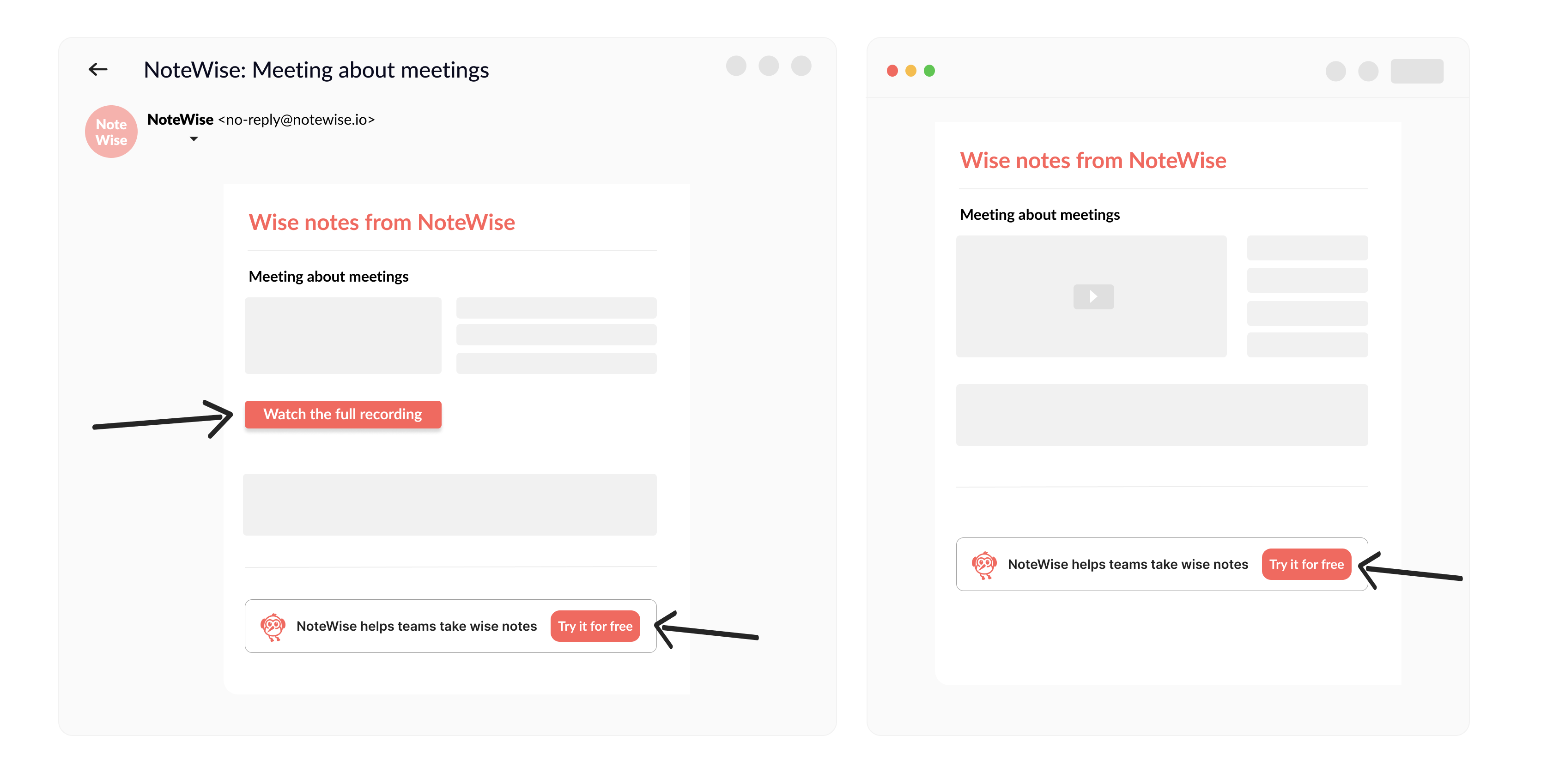
This signup can be counted as a referral conversion event and the referrer can be rewarded for bringing this new user.
3
Reward your user
Once the new user has purchased a subscription, referrer can be rewarded via Cello, like you would do in the regular referral flow.
Implementation steps
Incentivized casual contact loop referral conversion works similar to the regular referral flow conversion, but with a few differences.1
Add Cello parameters to your asset link
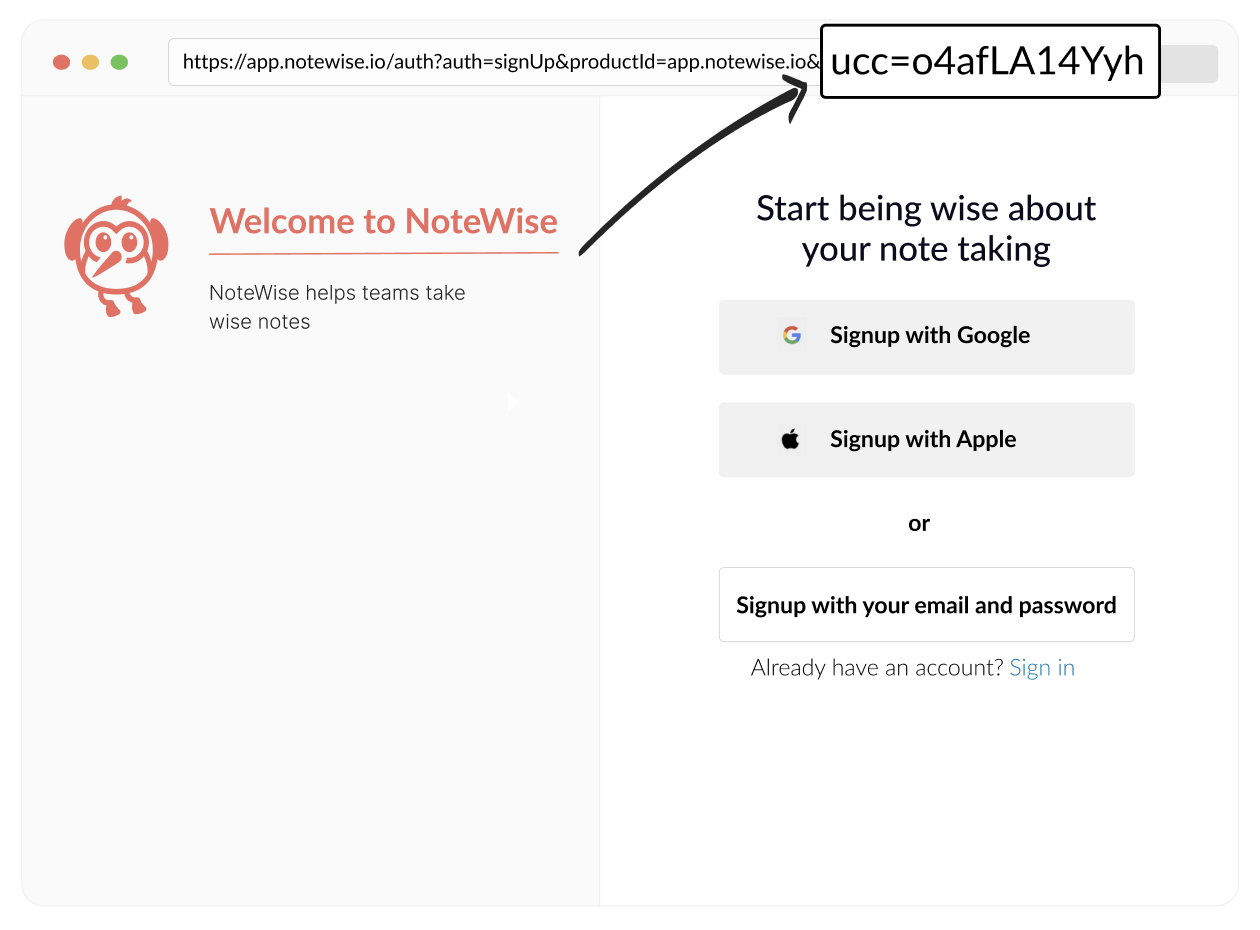 Your asset link will serve as the referral link, so it needs to have the following parameters to attribute it as a referral:
productId- your account ID from your Cello dashboard’s Developers → Access keys.ucc- this is your users referral code. You need to get it dynamically for each user when generating the link.- If you generate the link server-side, use the Cello API /active-link endpoint to get the user
ucc - If you generate the link client-side, use getActiveUcc method from Cello JS SDK
- If you generate the link server-side, use the Cello API /active-link endpoint to get the user
- a source tracking param - to differentiate later, which referrals came from a regular flow and which came from incentivized casual contact loop, you need to attach some type of tracking parameter to the link. You may already be using a utm source param for it, or choose a different one.
2
Capture ucc and other params on landing page
Your asset page for anonymouos users serves as referral landing page. Similar to regular flow, you need to capture referral code on the landing page, so it is later available at the point of signup, even if the user has not signed up directly after viewing the page, but has returned to sign up later.
ucc- to capture and later access the referral code, add Attribution library to your asset landing page. It will storeuccin the cookie and make accessible at the point of signup- a source tracking param - make sure you store this param in the cookie, to be accessed later at the point of signup, even for returning visitors.
3
Track signups
You are already tracking signup for regular referral flow and the incentivized casual contact loop referral, should work exactly the same way, because you have captured the
ucc and have logic to access it via our Attribution library.To make sure we are able to differentiate between regular referral signup and incentivized casual contact loop one, and reflect that in your Portal Analytics Dashboards, you will need to pass us an additional parameter coming from the source tracking parameter you have added and captured in previous steps as context.source="iccl" in the new-signup event.Here is an example of the POST /events call to send a new-signup event:4
Track purchases
Similar to tracking signups, you are already tracking purchases for regular referral flow and the incentivized casual contact loop referral will follow the same flow, no changes should be required here to enable rewarding for the incentivized casual contact loop referrals.