

Increase discoverability of your referral program
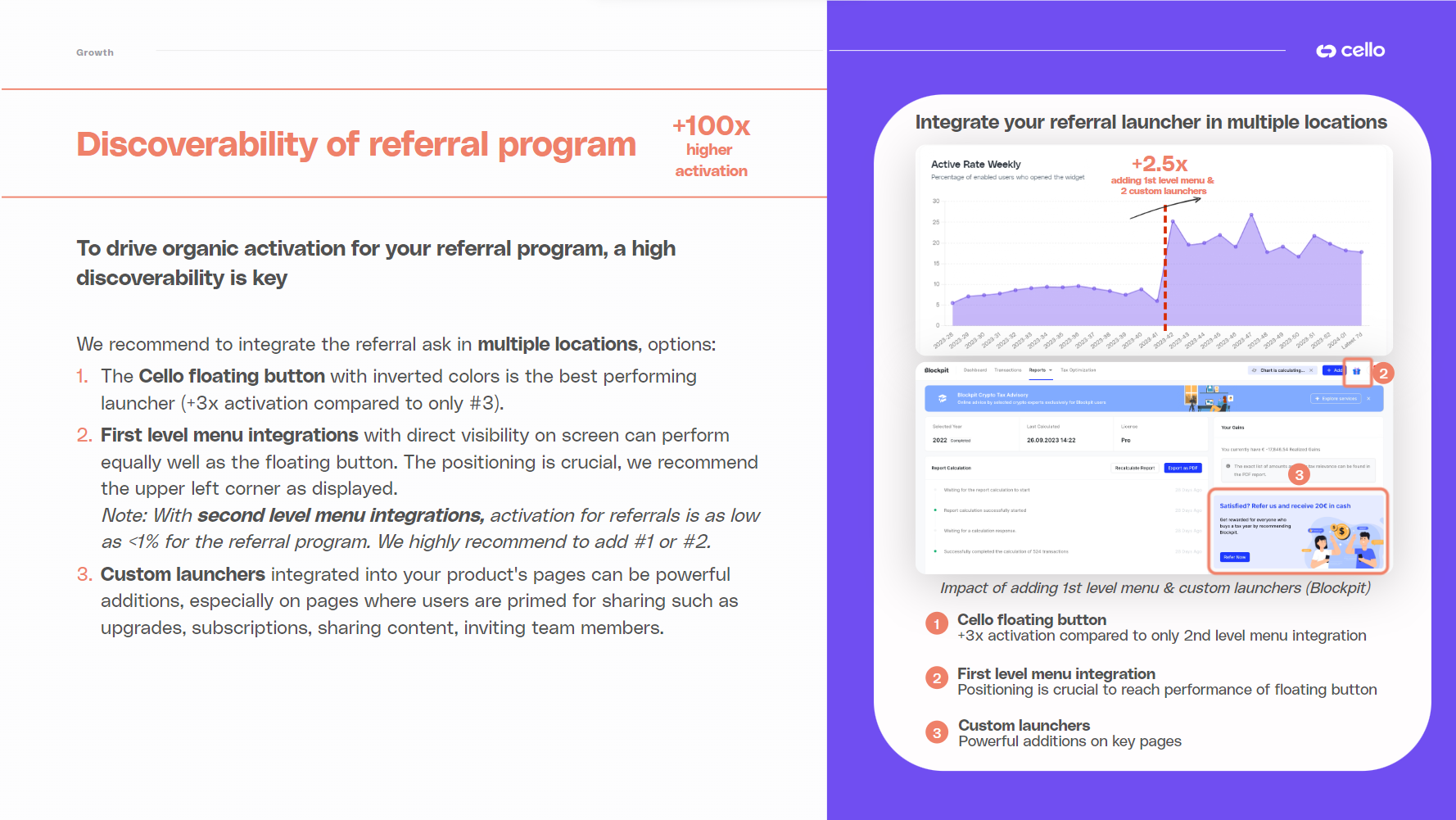 Get started now:
🔗 Show Cello floating button by default. Contact your CS team for adjustments to the floating button.
🔗 Custom launcher to add menu integrations.
Get started now:
🔗 Show Cello floating button by default. Contact your CS team for adjustments to the floating button.
🔗 Custom launcher to add menu integrations.
Integrate referral ask at moments of delight
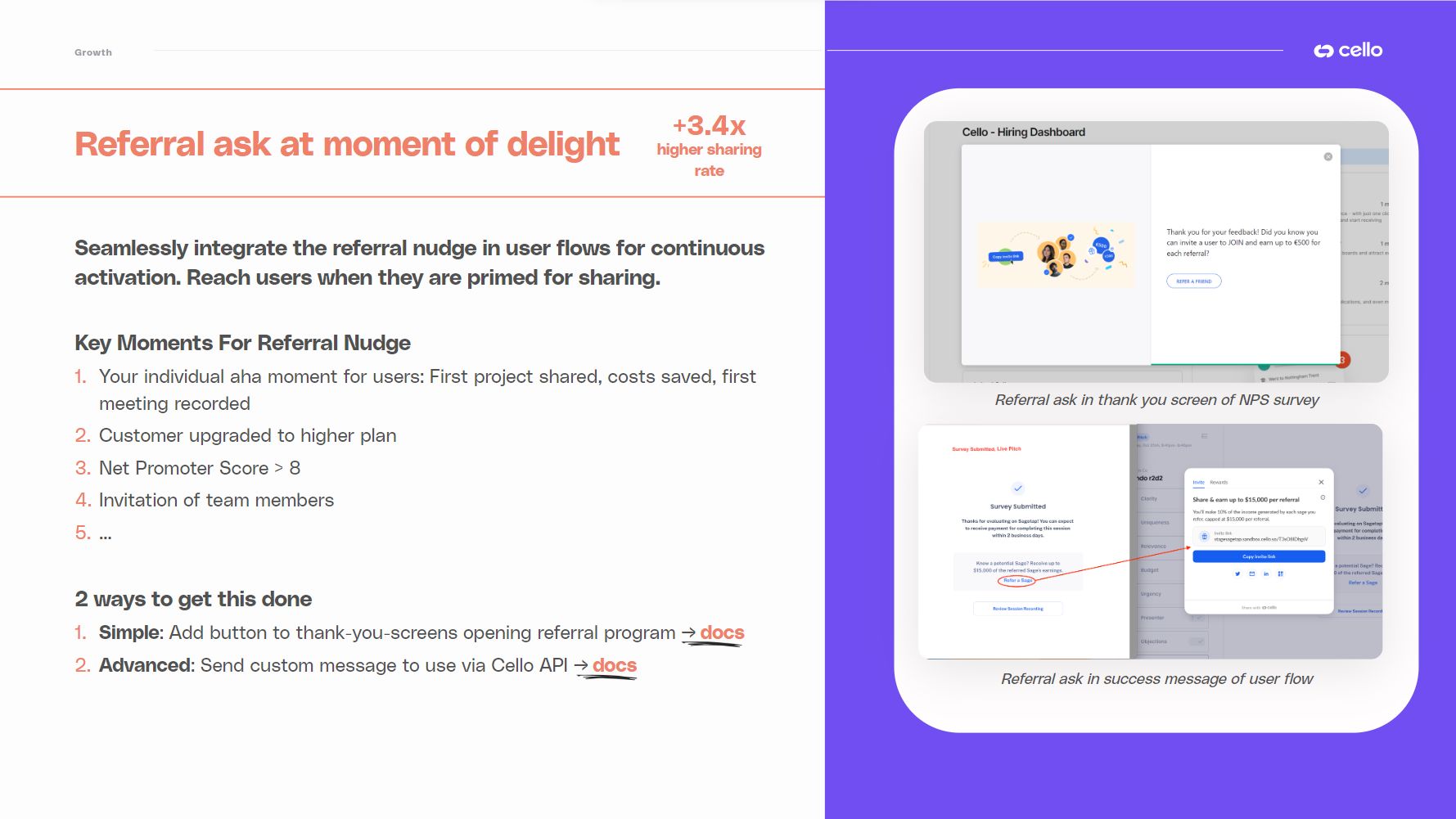 Get started now:
🔗 Simple option: Add button or UI for opening referral widget to your existing user flows.
🔗 Advanced option: Set up behavior-based triggers to send a custom message to users upon completion of a defined trigger moment.
Get started now:
🔗 Simple option: Add button or UI for opening referral widget to your existing user flows.
🔗 Advanced option: Set up behavior-based triggers to send a custom message to users upon completion of a defined trigger moment.

Enable essential notifications with Cello email campaigns
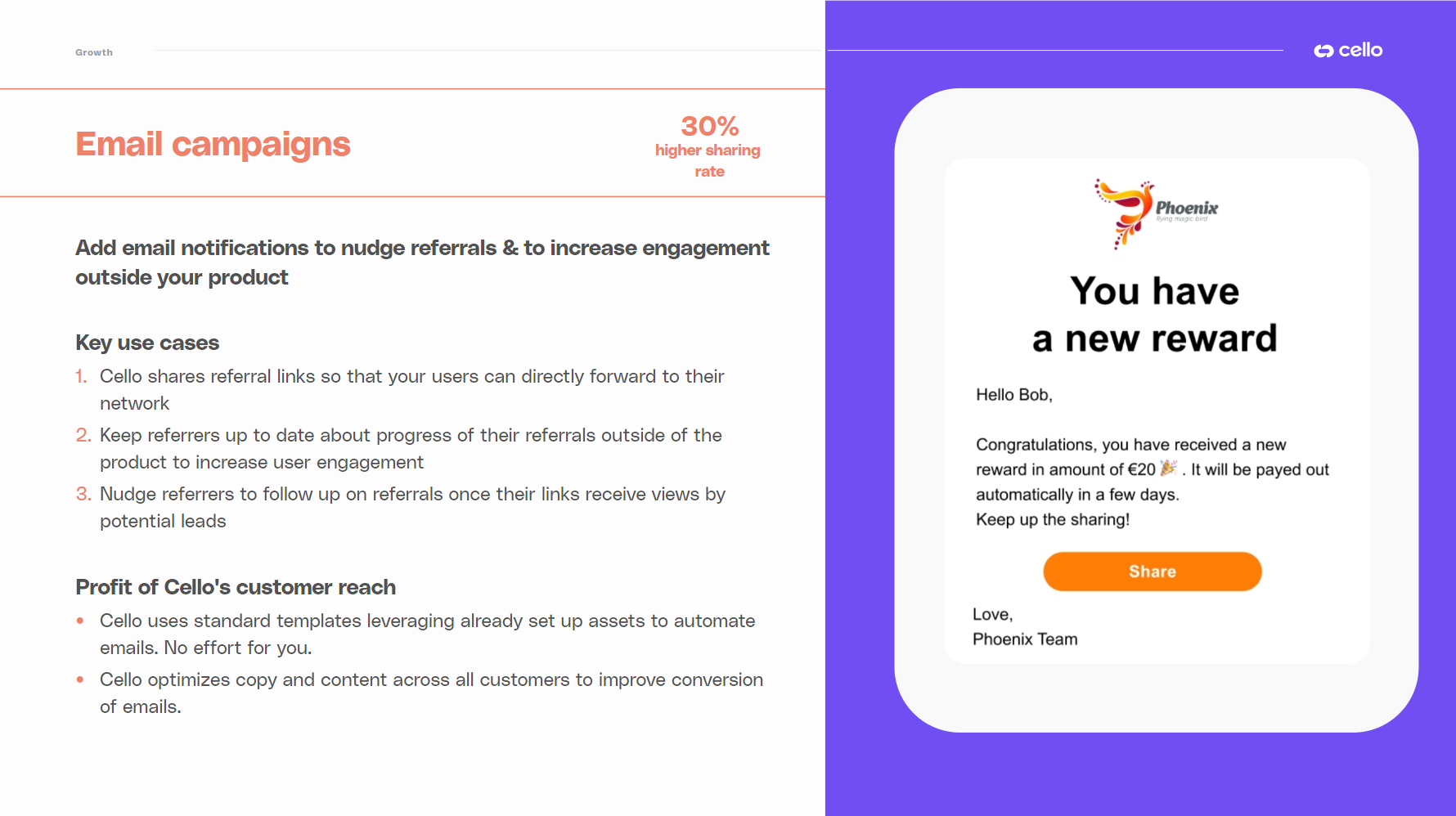 Get started now:
Contact your Cello CS team to activate email campaigns in Slack or at support@cello.so. Email addresses need to be provided on boot of Cello to activate certain types of emails.
Get started now:
Contact your Cello CS team to activate email campaigns in Slack or at support@cello.so. Email addresses need to be provided on boot of Cello to activate certain types of emails.
Customize Cello in-app messages
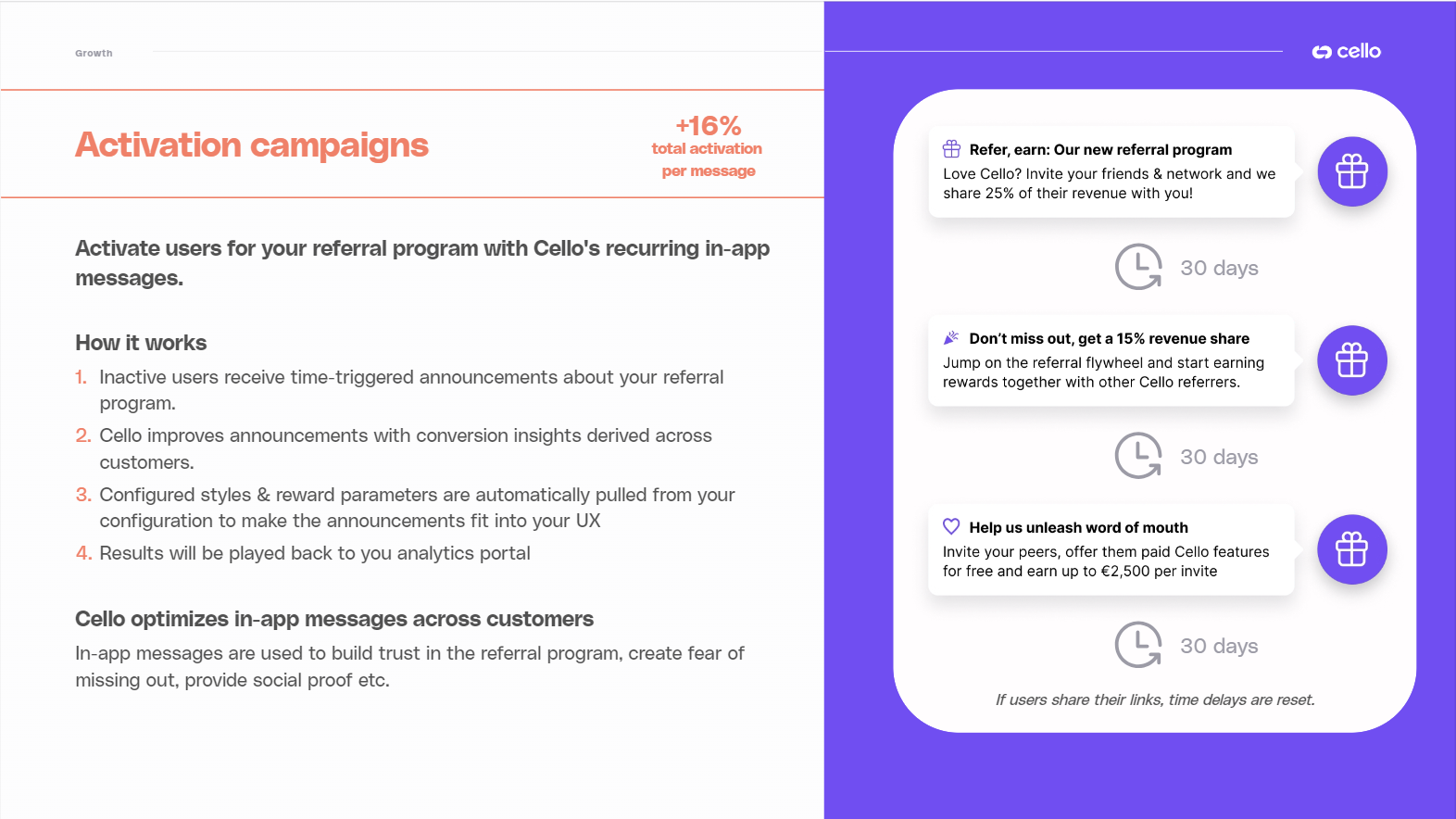 Get started now:
Contact your Cello CS team to activate the activation campaigns and customize messages here.
Get started now:
Contact your Cello CS team to activate the activation campaigns and customize messages here.