Documentation Index
Fetch the complete documentation index at: https://docs.cello.so/llms.txt
Use this file to discover all available pages before exploring further.
Early access
What are in-product rewards?
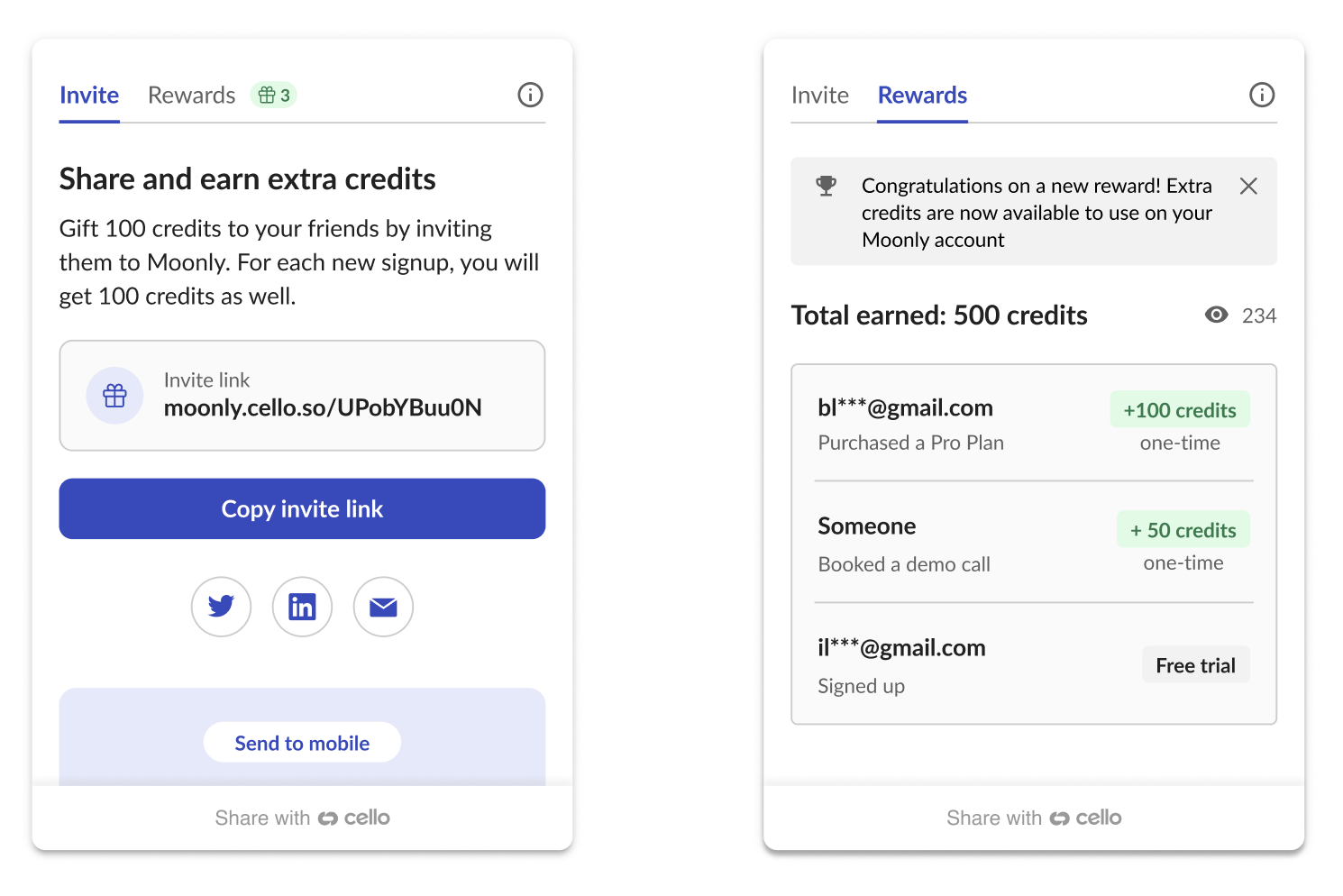
An in-product reward is a non-monetary reward that can be used to incentivize users within the product itself. Instead of rewarding a referrer with cash, you can reward successful referrals with free credits for your product. You then make credits redeemable for discounts or to unlock other functionality within your product.
How does it work?
- Referrers will see a campaign in the Cello Referral Component that shows them what they can earn per referral. (e.g., Earn up to 100 extra credits per referral)
- If a referral code (
ucc) was successfully used and attributed Cello will calculate a reward based on the agreed terms and inform the referrer about it.
- Cello provides a Rewards API to obtain the latest rewards for all your referrers.
- You process the rewards for your users.
Rewards API
Domain base URL’s
Use the Domain base URL that corresponds with the environment.
| Endpoint URL | Environment |
|---|
https://api.sandbox.cello.so/ | Dev and Stage |
https://api.cello.so/ | Prod |
Authenticating the API
To use the code validation API, you need to authenticate the request using an accessTokenwhich is passed in Authorization request header
To obtain them, you will need the accessKeyId and secretAccessKey, which you can find in your Cello Portal.
Obtain accessToken & refreshToken
curl -X POST https://api.cello.so/token \
-H "Content-Type: application/json" \
-d '{ "accessKeyId": "<accessKeyId>", "secretAccessKey": "<secretAccessKey>" }'
{
"accessToken": "<accessToken>",
"expiresIn": 18000,
"refreshToken": "<refreshToken>"
}
Status Code 201
Refresh accessToken
curl -X POST https://api.cello.so/token \
-H "Content-Type: application/json" \
-d '{ "refreshToken": "<refreshToken>" }'
{
"accessToken": "<accessToken>",
"expiresIn": 18000
}
Status Code 201
Receive the rewards (GET)
Once you have the accessToken, use the following request to get the latest rewards.
curl -X GET https://api.cello.so/rewards? \
-H "Content-Type: application/json" \
-H "Authorization: Bearer <accessToken>" \
[
{
"id": "629022865933390159",
"productUserId": "cb5ad15c-739d-43b4-8aae-aad591ac1601",
"rewardAmount": 1500,
"rewardUnit": "USD",
"rewardType": "IN_PRODUCT_REWARD",
"rewardStatus": "CREATED",
"rewardCreatedTs": "2023-04-25T02:09:21.920Z"
}
]
Status Code 200
Filtering
You can filter by certain parameters to adopt the response based on your needs.
| Parameter | Type | Example |
|---|
| startDate | String | ”2022-12-02” |
| endDate | String | ”2023-02-02” |
| productUserId | String | ”bd5ef72a-3b88-45fa-9377-9f8e354906b5” |
Example request url with a filter:
curl -X GET https://api.cello.so/rewards? \
startDate="2022-12-02"&endDate="2023-02-02" \
productUserId="bd5ef72a-3b88-45fa-9377-9f8e354906b5" \
-H "Content-Type: application/json" \
-H "Authorization: Bearer <accessToken>" \
Update Rewards (PATCH)
To report back to Cello if you processed or assigned a reward to a user, you can use our PATCH endpoint. You can update multiple entries at a time. As a reference, use the IDs of the entries from the GET response.
curl -X PATCH https://api.cello.so/rewards? \
-H "Content-Type: application/json" \
-H "Authorization: Bearer <accessToken>" \
-d {
"ids":["629022865933390159", "929022865933390159"],
"change":{
"rewardStatus":"PROCESSED"
}
}
Status Code 200
Possible reward status
| Status | Description |
|---|
| CREATED | Reward was created |
| CANCELED | Reward was canceled due to a reason reported by you as a customer |
| REJECTED | Reward was rejected, for example, due to a fraud reason |
| PROCESSED | Reward was already processed and applied by the customer |