When to Manually Attribute Referrals
- Technical Glitches: If you encounter technical issues or glitches that prevent automated attribution, manual attribution allows you to override these challenges.
- User Disputes: In cases where users claim they referred someone but the system did not capture it correctly, manual attribution provides a resolution path.
- Custom Scenarios: For unique situations or custom referral setups, manual attribution offers a tailored solution.
How to Manually Attribute Referrals
- Stripe webhook only
- Chargebee webhook only
- Cello API & Webhook
- Cello API only
- Customer gets
cello_uccof referrer from the Cello Portal and retrievescello_uccof referrer andnew_user_id(former product_user_id) new user from their own system. If data cannot be found, please reach out to Cello. - Customer adds
cello_uccof referrer andnew_user_id(former product_user_id) ID of new user to the existing Stripe customer of new user in Stripe. - Cello receives a
customer.updatedevent from Stripe for the customer. - If there were already paid invoices, please resend the past
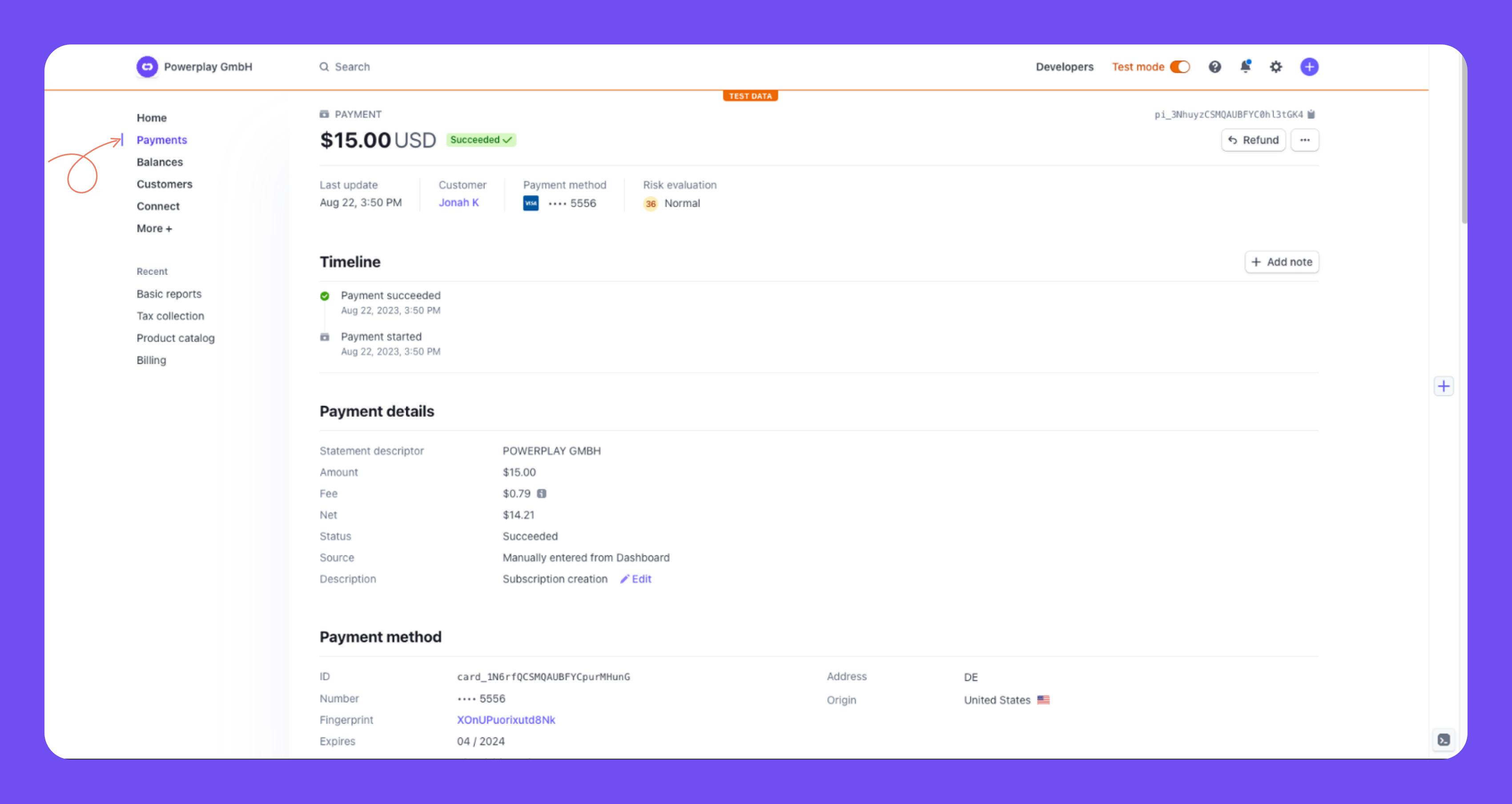
invoice.paidevents of the new user to Cello. This can be done by:- Go to the transaction
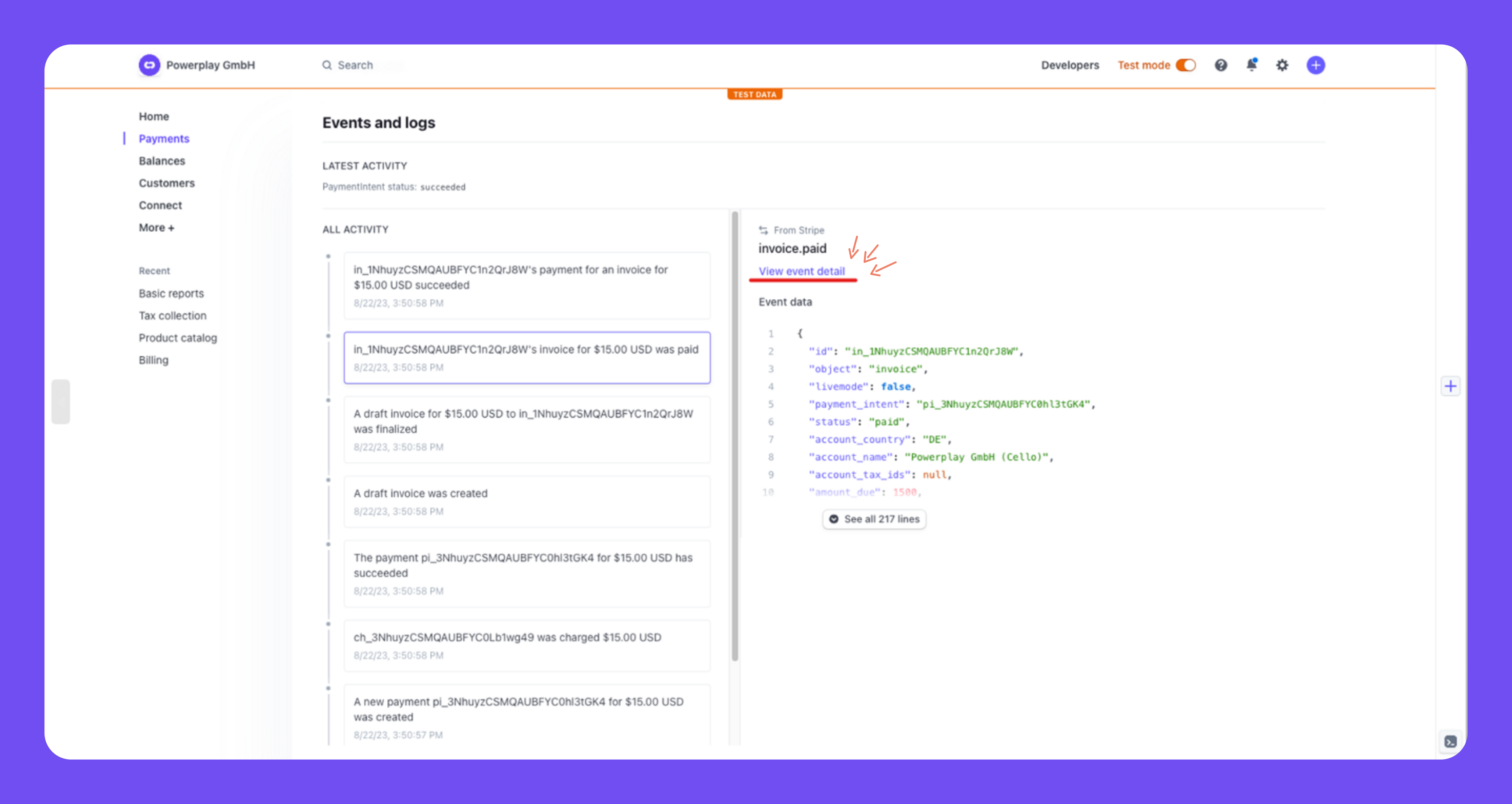
- Select the
invoice.paidevent in the feed at the bottom - Click View event details
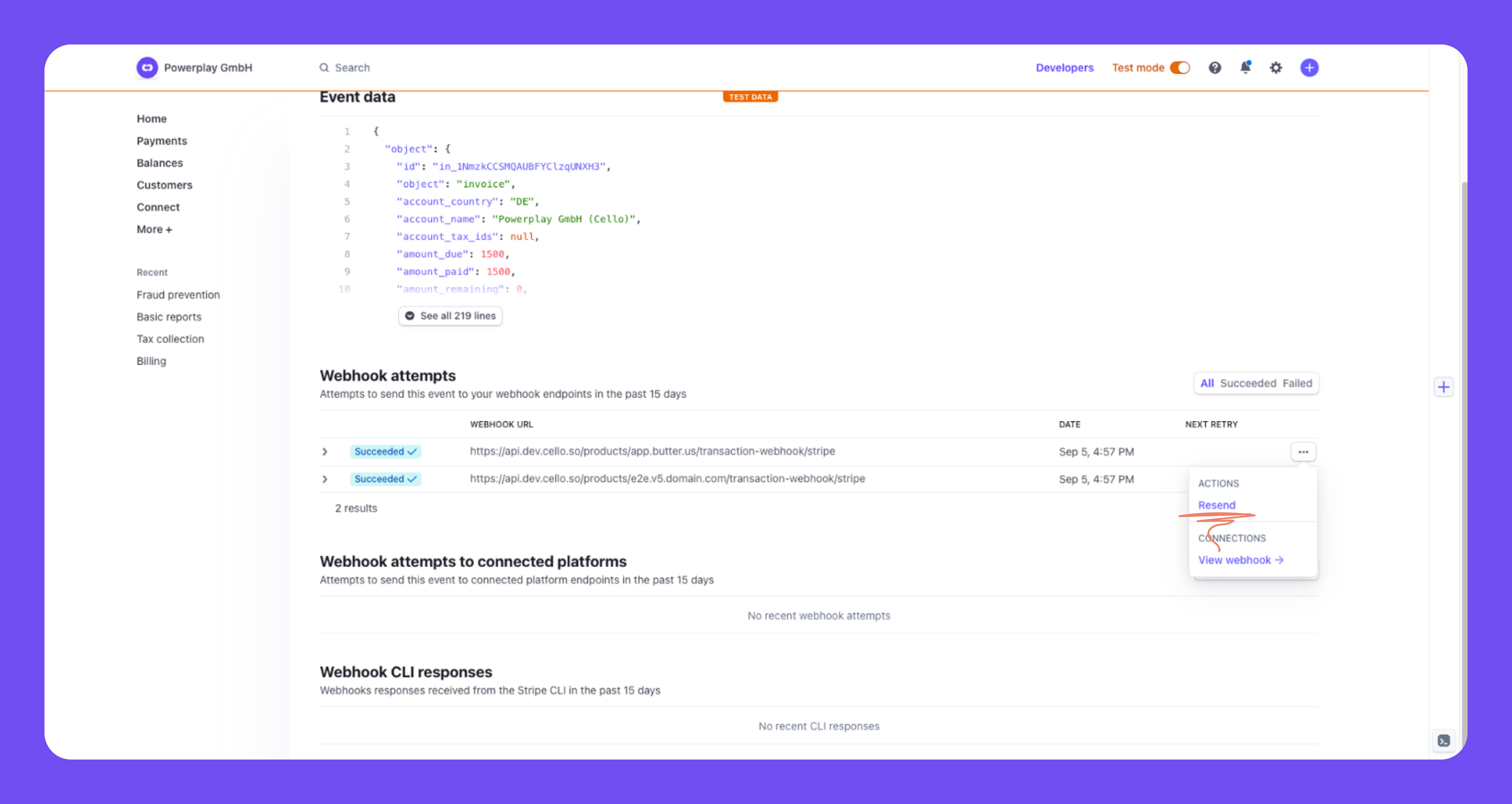
- Check webhook attempts and resend the event