

ucc from landing pages and maintains attribution throughout the entire user journey, from initial visit to final purchase.
How it works
The referral conversion process follows a four-step attribution flow: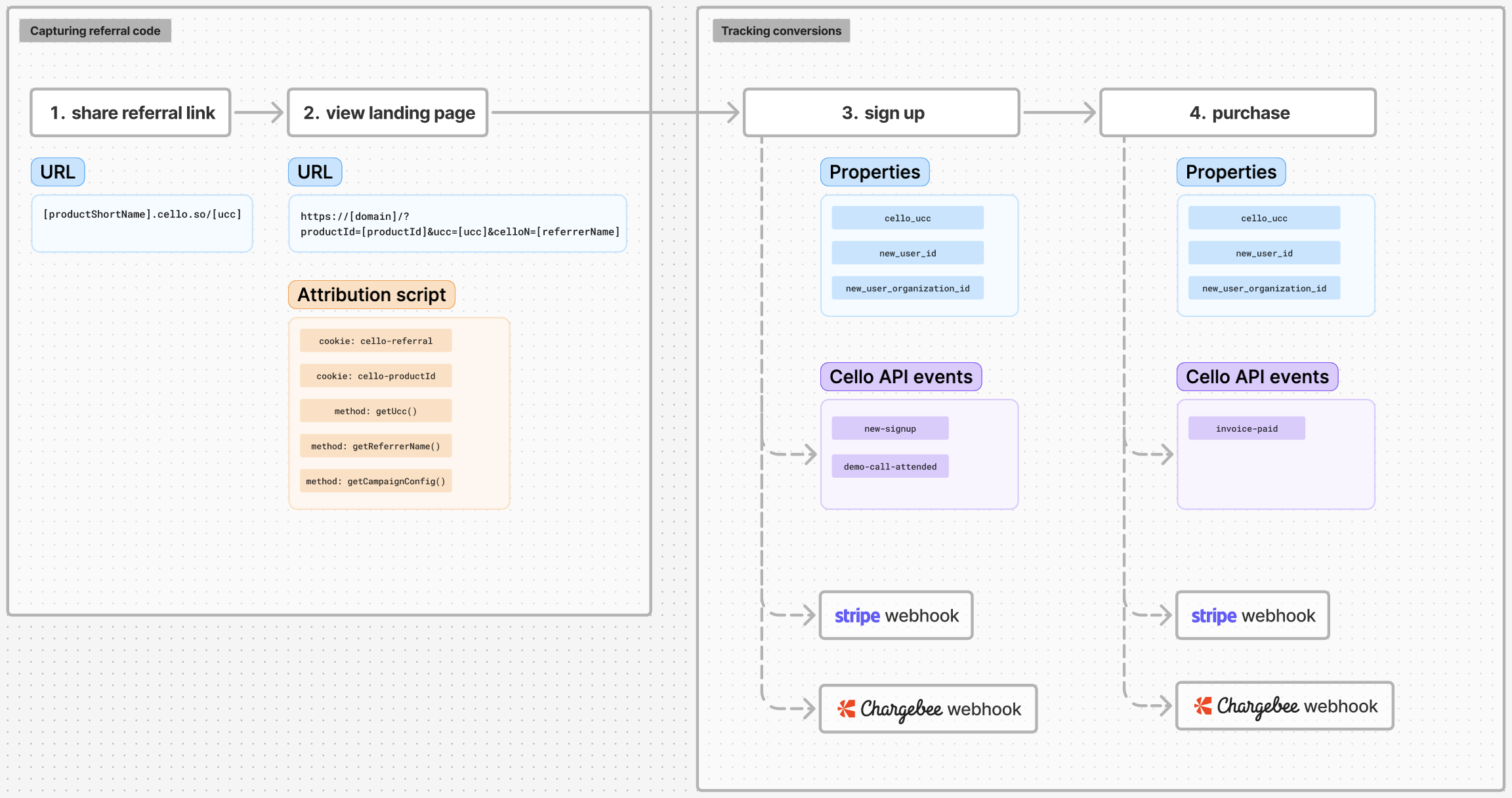
- Referral Link Sharing - Referrers share links containing unique codes (
uccparameters) - Landing Page Capture - Your website captures and stores referral codes
uccas first-party cookies - Signup Tracking - New user registrations are linked to their referrer
- Purchase Tracking - Revenue events are attributed back to the original referrers
Getting started with referral conversion tracking
Learn how to track conversions with Cello in the following resources:Web signup flow
Capture referral code during web signup flow
Mobile signup flow
Capture referral code during mobile signup
Track signups
A full guide on tracking signup events
Track purchases
A full guide on tracking purchase events