

Documentation Index
Fetch the complete documentation index at: https://docs.cello.so/llms.txt
Use this file to discover all available pages before exploring further.
Overview
The Model Context Protocol (MCP) allows AI-powered coding tools to securely connect to external data sources and tools. The Cello MCP server enables tools like Cursor, Lovable, VS Code, and Claude Code to interact directly with your Cello referral program - searching documentation, verifying your integration health, surfacing best-practice recommendations, and inspecting incoming events. If you only need read-only access to Cello documentation (no account required), see Docs-only MCP at the bottom of this page.Example prompts
Once connected, just prompt your coding tool naturally - it will use the right Cello tool automatically.Setting up
| Prompt | What happens |
|---|---|
| ”I want to add user referrals to my app using Cello. Search the Cello docs for the integration guide and create a plan.” | Finds the right guide for your stack and builds an implementation plan |
| ”How do I set up Cello attribution on my landing page?” | Looks up the attribution setup docs and walks you through it |
| ”What Stripe webhook events does Cello need?” | Searches the docs for the Stripe webhook configuration |
Verifying your integration
| Prompt | What happens |
|---|---|
| ”Is my Cello integration working?” | Checks all four components and reports which are connected or broken |
| ”I just finished the Cello integration. Verify that everything is set up correctly.” | Runs a health check and flags any components that aren’t receiving events |
Debugging
| Prompt | What happens |
|---|---|
| ”Why aren’t my Cello referral rewards being triggered?” | Checks integration health, then inspects recent events to find missing or malformed fields |
| ”Are my Stripe webhook events being received by Cello?” | Shows the latest events feed with validation status for each field |
| ”Signups aren’t being attributed to referrers. What’s wrong?” | Inspects recent signup events and checks whether the UCC field is present |
Optimizing
| Prompt | What happens |
|---|---|
| ”How can I improve my Cello referral program?” | Returns a prioritized list of recommendations across activation, sharing, and conversion |
| ”What referral best practices am I missing?” | Shows which recommendations are done and which still need action |
Get started
The Cello MCP server uses token-based authentication (Bearer token). You generate an MCP Access Token in the Cello Portal and provide it when connecting your MCP client.The Cello MCP server has a separate URL for each environment. Use the URL that matches the environment your MCP Access Token was generated in:
- Production:
https://mcp.cello.so/mcp - Sandbox:
https://mcp.sandbox.cello.so/mcp
Generate your MCP Access Token
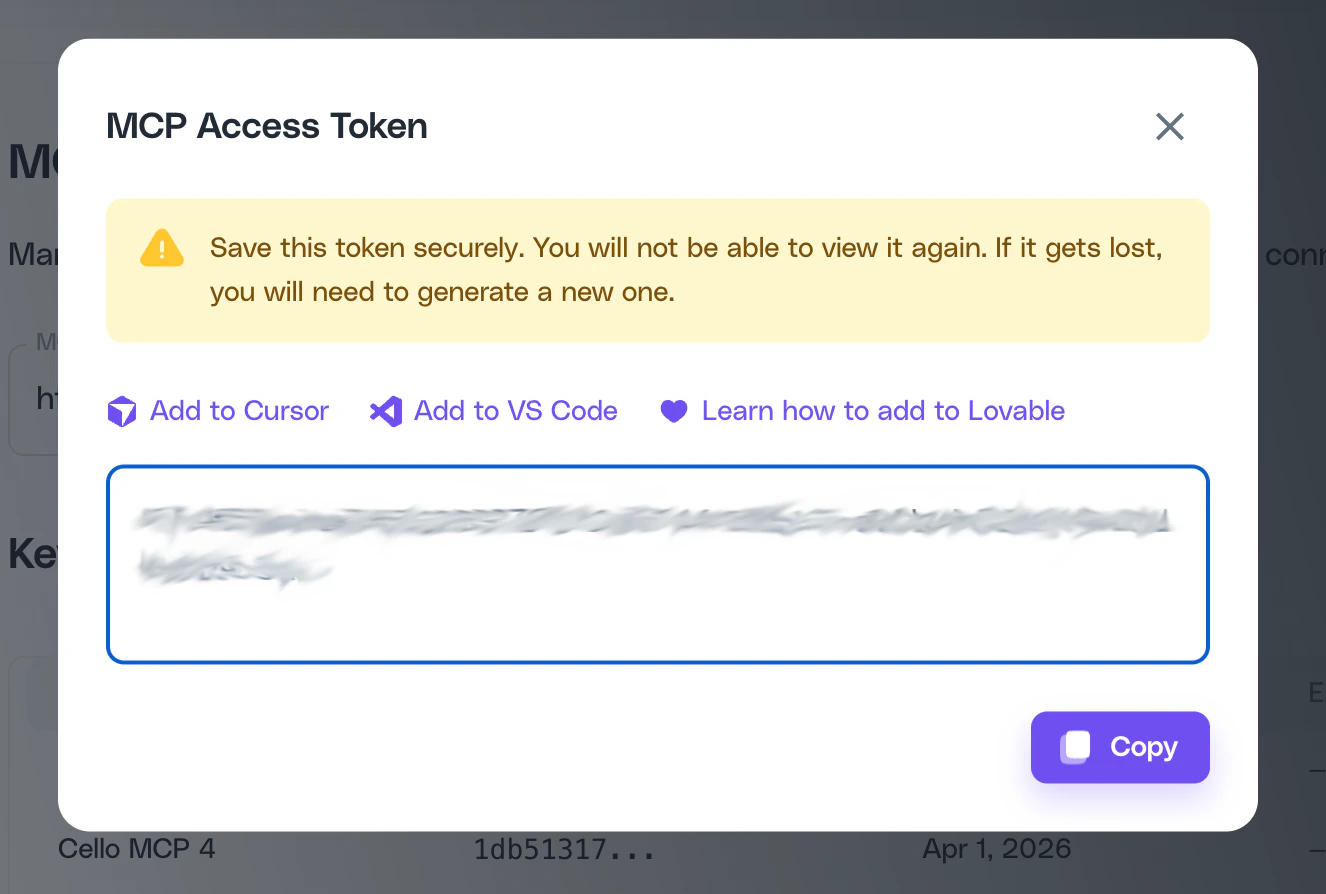
- Go to the Cello Portal
- Navigate to Access Keys and generate a new MCP Access Token
- Copy the token immediately - you won’t be able to view it again
The Cello MCP server is currently in Early Access. Request access to get started.
Connect to Lovable
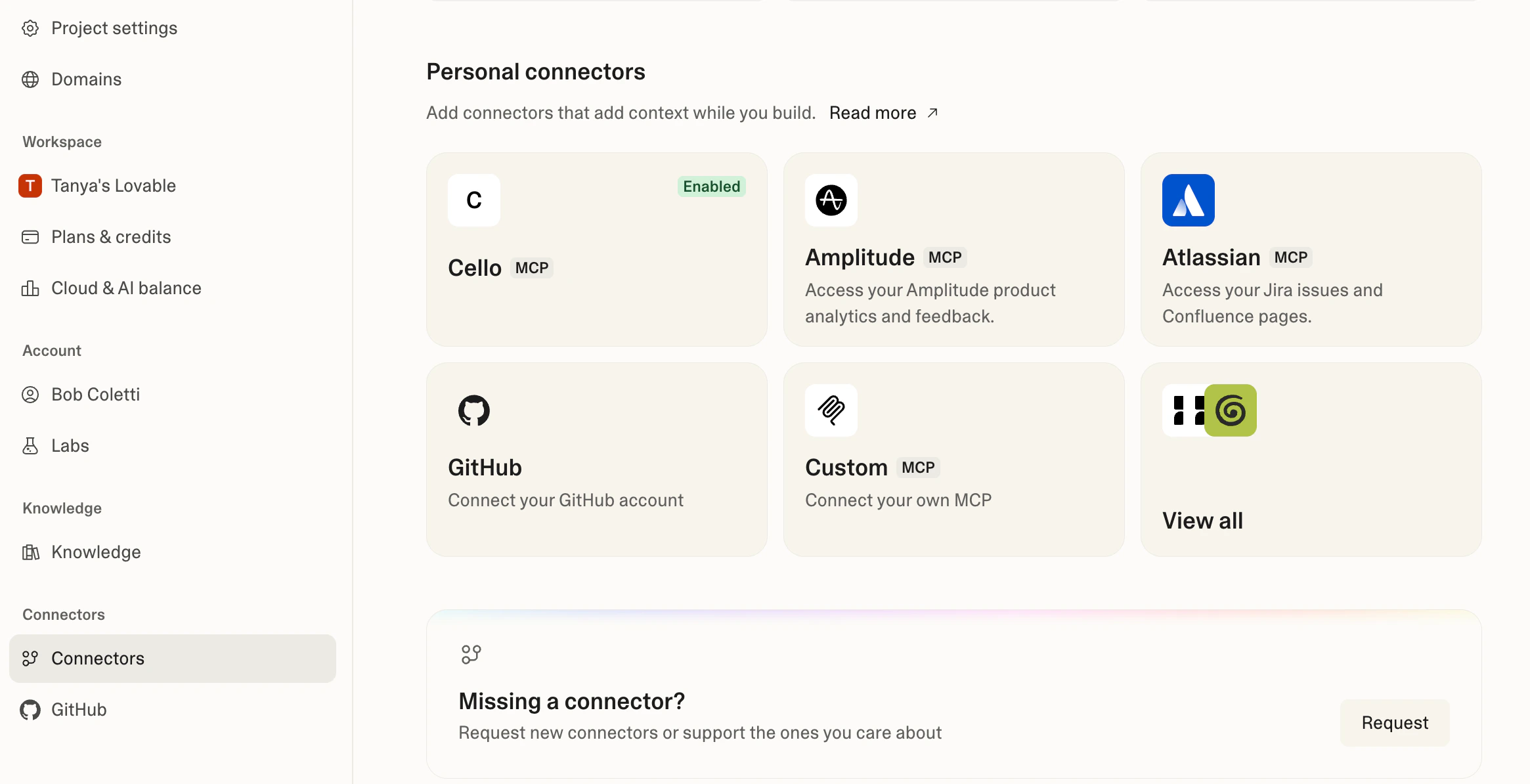
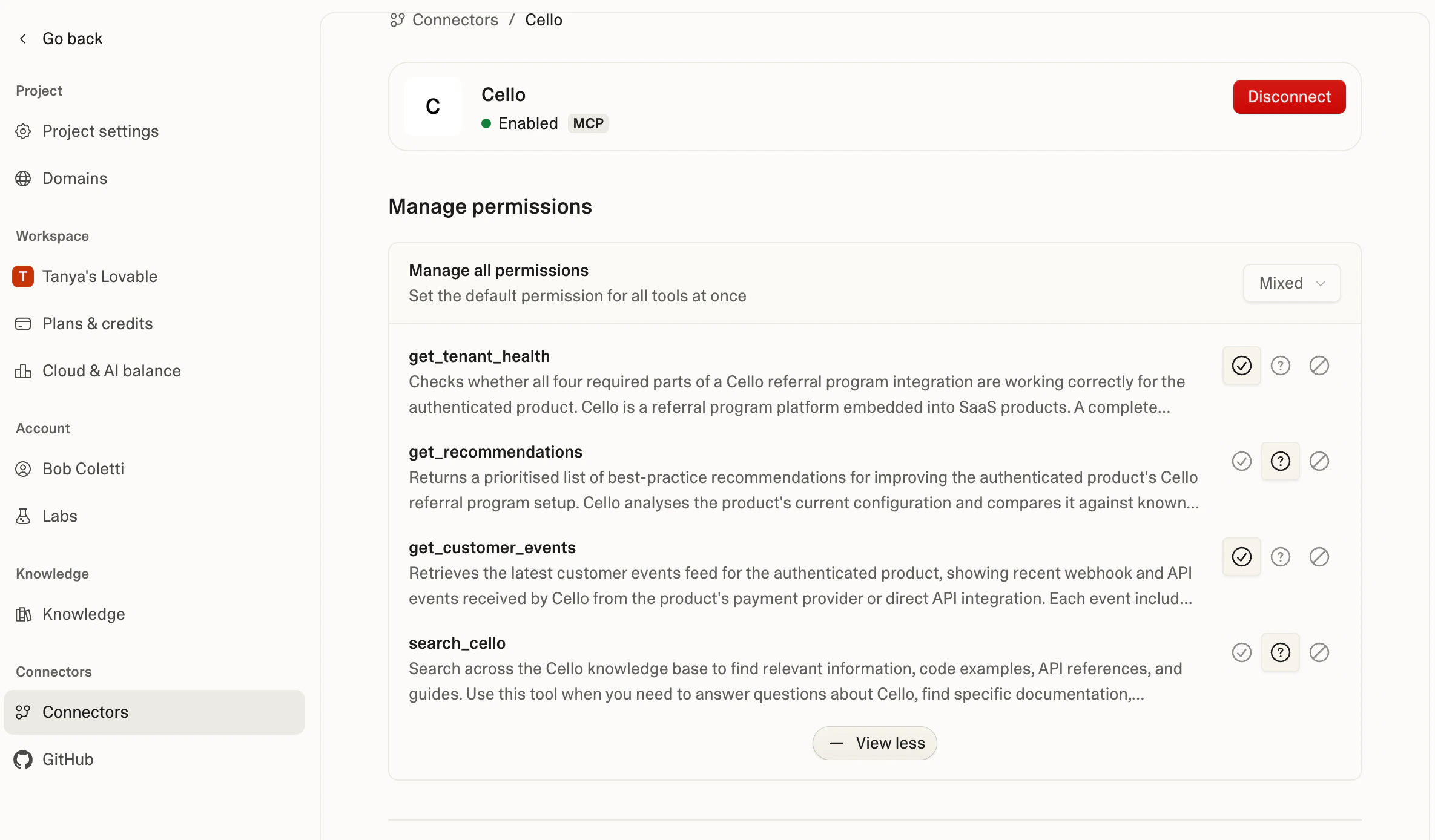
Add the Cello MCP as a custom personal connector in Lovable:- In Lovable, go to Settings → Connectors → Personal connectors
- Click New MCP server
- Enter the following:
- Server name:
Cello - Server URL:
https://mcp.cello.so/mcp - Authentication: Select Bearer token and paste your MCP Access Token
- Server name:
- Click Add & authorize
Connect to Cursor
Use the one-click install link from the MCP Access Token dialog, or go to Cursor Settings → Tools & Integrations → MCP Servers → Add Server and enter the URL and token.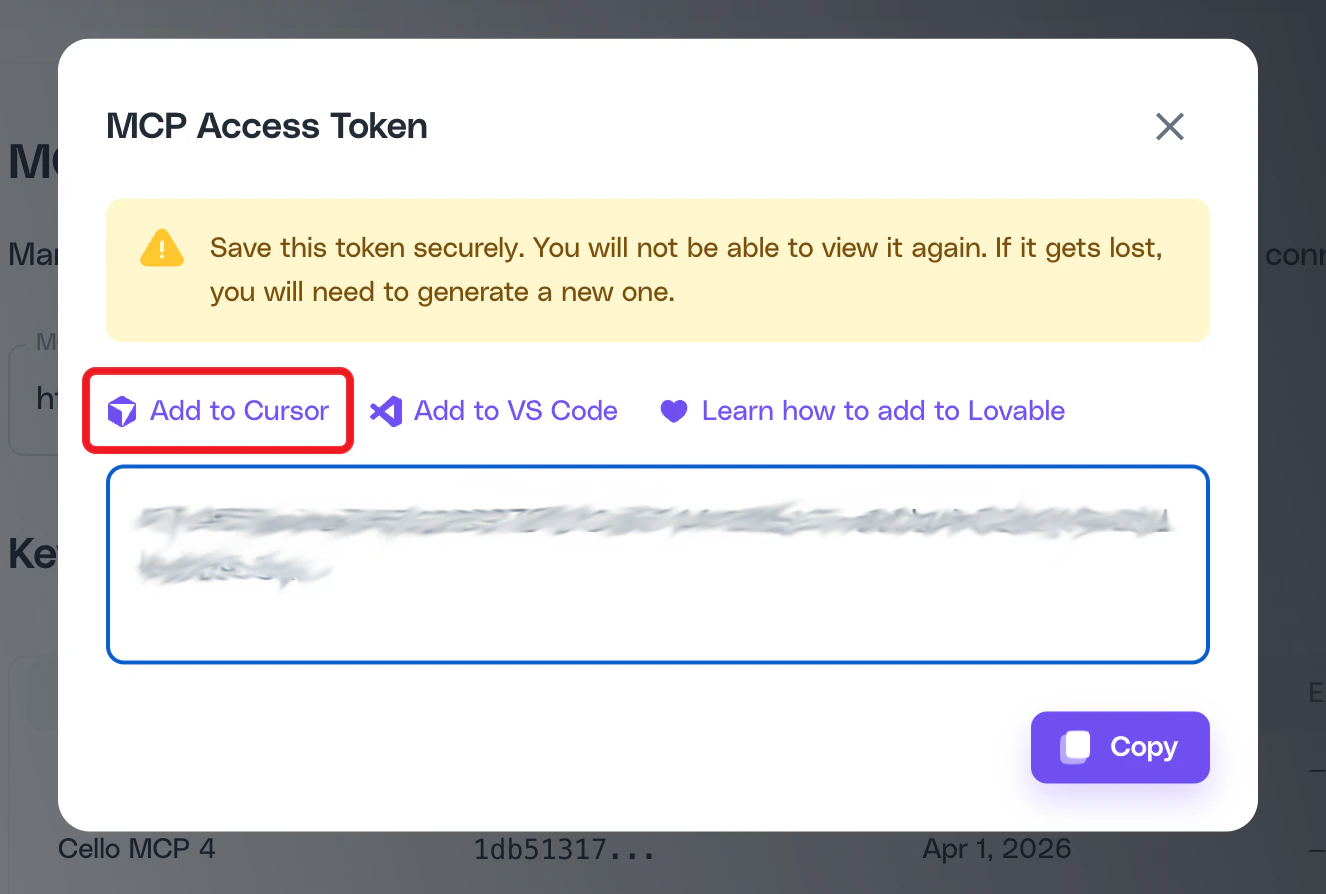
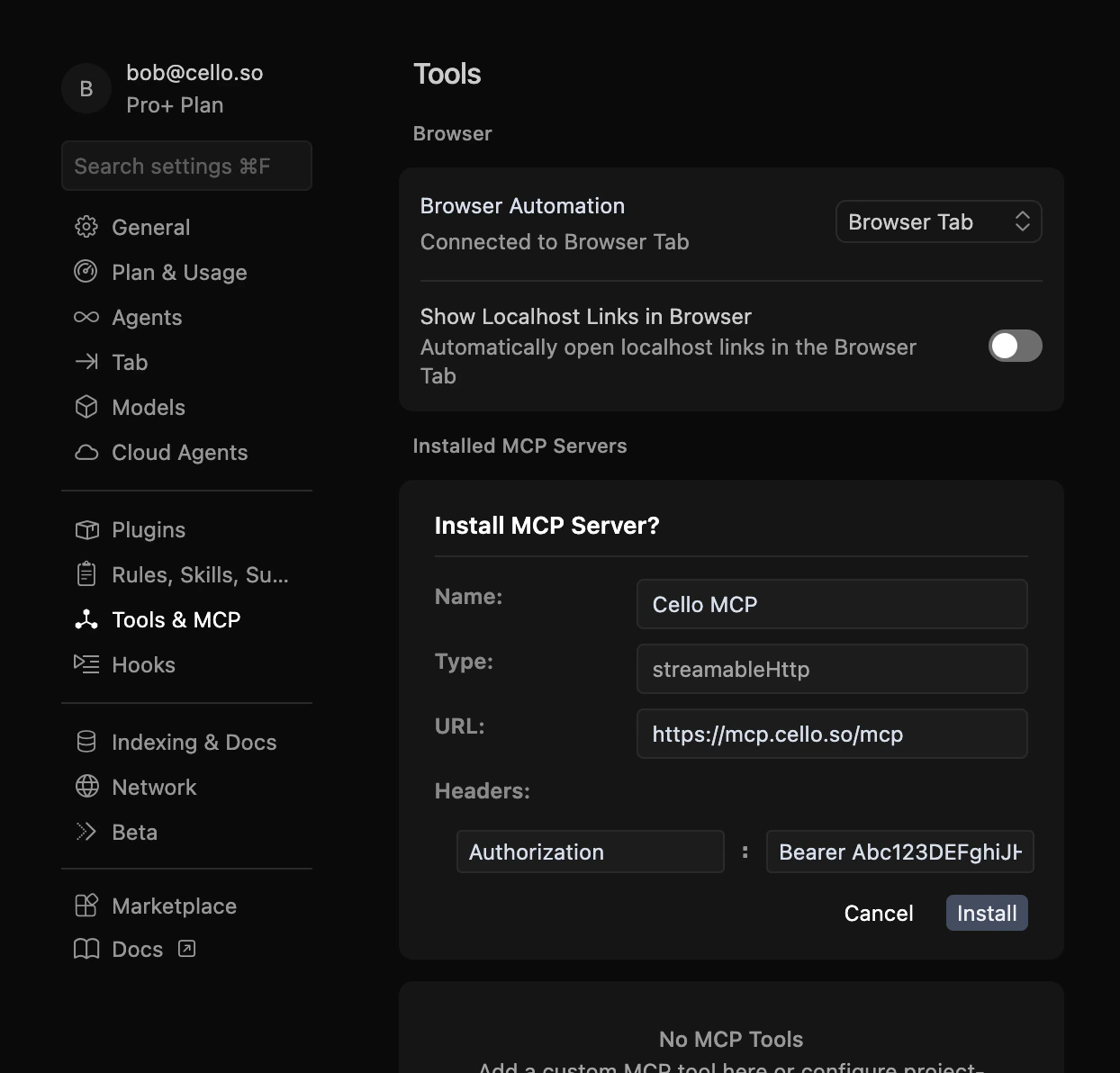
~/.cursor/config/mcp.json (macOS/Linux) or %USERPROFILE%\.cursor\config\mcp.json (Windows):
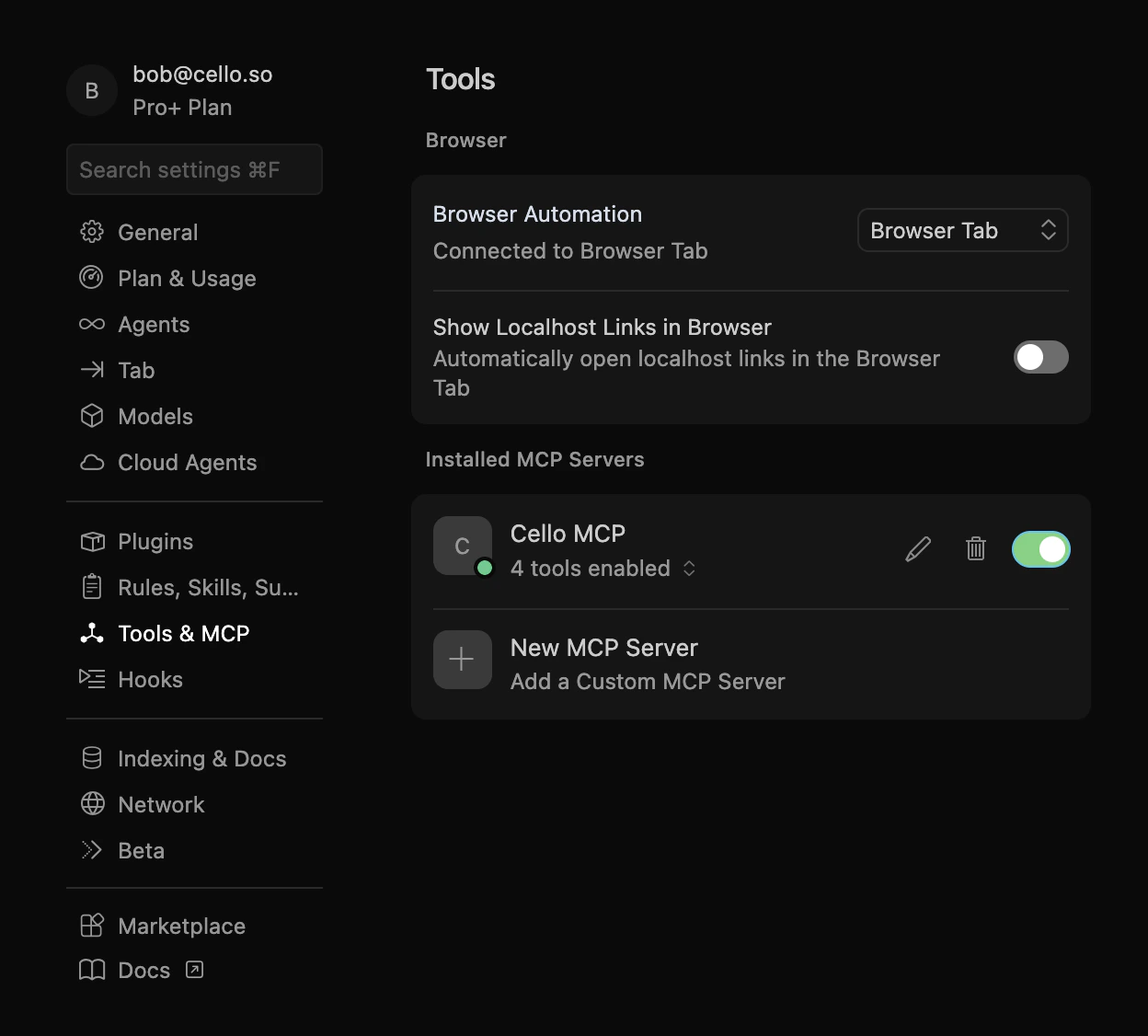
Connect to VS Code (Copilot)
Create or edit.vscode/mcp.json in your workspace (or use MCP: Add Server from the Command Palette):
Connect to Claude Code
Connect to other MCP clients
Any tool that supports MCP integrations can connect to the Cello MCP server. Add the following to your client’s MCP configuration:- Server URL:
https://mcp.cello.so/mcp - Authentication: Bearer token with your MCP Access Token
Troubleshooting
| Issue | Solution |
|---|---|
| MCP connection fails | Verify your MCP Access Token is correct and hasn’t expired. Generate a new token in the Cello Portal if needed. |
| Tools return authentication errors | Ensure the Bearer token is included in the Authorization header. Check that your account has Early Access enabled. |
get_tenant_health shows not_connected | Follow the relevant integration guide for the disconnected component. Use search_cello to find the setup docs. |
| Events show validation warnings | Use get_customer_events to inspect the payload and identify missing or malformed fields (UCC, productUserId, customerId). |
| Recommendations don’t reflect latest changes | Config-based recommendations reflect the live product configuration. CRM-based recommendations may have a slight delay. |
Docs-only MCP
If you don’t need integration health checks, recommendations, or event inspection - and just want to give your coding tool context about Cello - you can use the docs-only MCP server. No authentication or Cello account required.Cursor
Cursor
VS Code (Copilot)
VS Code (Copilot)
Create or edit
.vscode/mcp.json:Claude Code
Claude Code
The authenticated MCP at
https://mcp.cello.so/mcp (covered above) includes the same docs search via search_cello, plus integration health checks, recommendations, and event inspection. If you have a Cello account, use that instead.