> ## Documentation Index
> Fetch the complete documentation index at: https://docs.cello.so/llms.txt
> Use this file to discover all available pages before exploring further.
# Introduction
> JavaScript SDK for embedding the Cello Referral Component in web applications
 ## What is Cello JS?
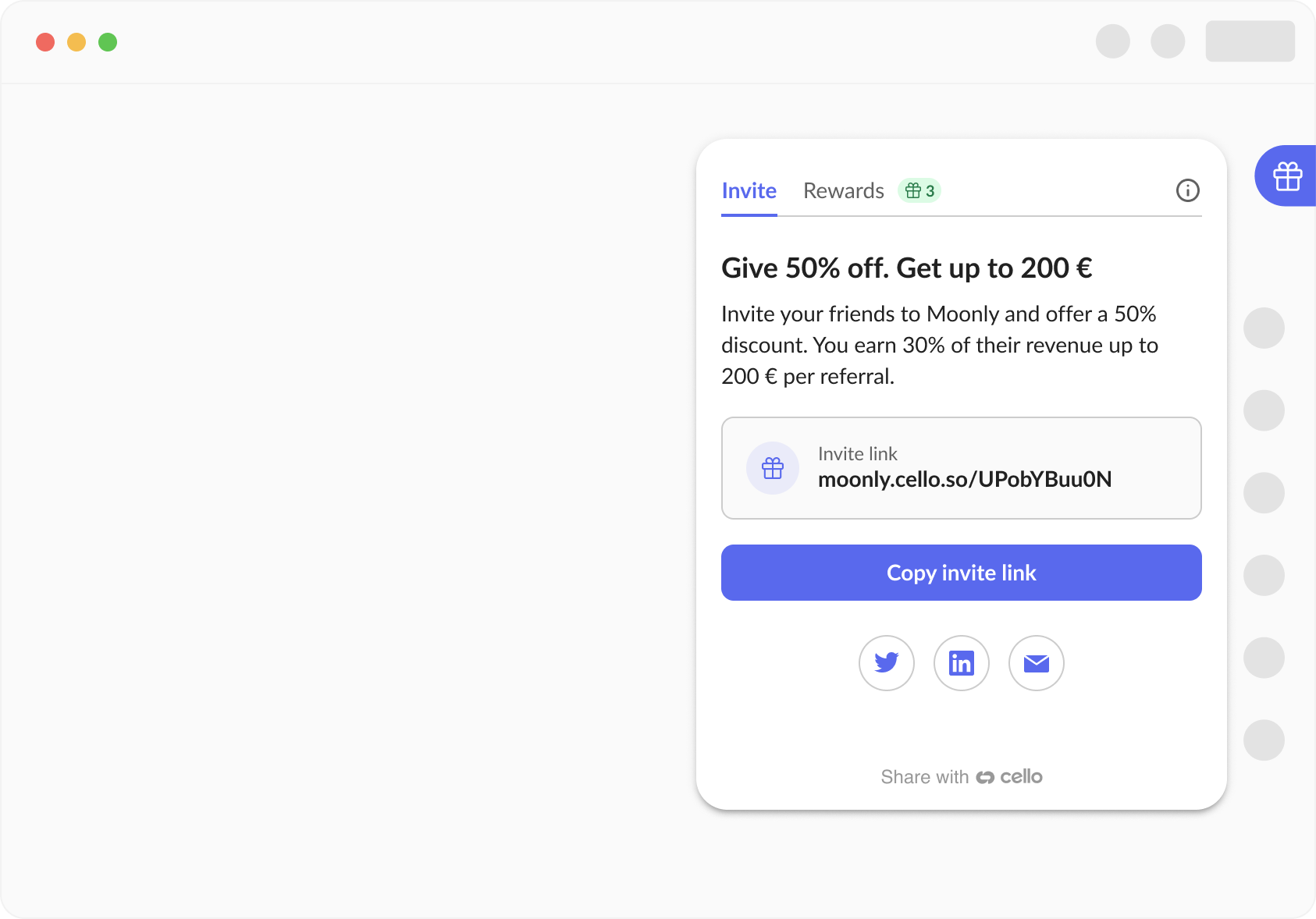
Cello JS is a browser-based JavaScript SDK that enables you to embed a fully-featured referral component directly into your web application. It provides a seamless way for your users to share referral links, track their performance, and receive rewards - all without leaving your product.
The SDK works with any web framework that outputs HTML/JavaScript, including:
* React, Next.js, and Gatsby
* Vue and Nuxt
* Angular
* Vanilla JavaScript applications
* Server-rendered applications (with client-side initialization)
## Getting Started
Follow our quickstart guide to integrate Cello JS in under 15 minutes:
Step-by-step instructions to add the Referral Component to your web app
## Key Capabilities
With Cello JS, you can:
### Core Functionality
* **Initialize the component** - Boot with user authentication and configuration
* **Manage visibility** - Show, hide, or programmatically open the component
* **Handle user sessions** - Update user details and manage authentication tokens
### Customization & Control
* **Change language** - Switch languages dynamically without re-initialization
* **Custom launchers** - Replace the default button with your own UI elements
* **Event callbacks** - React to component events like open, close, and token expiration
### Data & Communication
* **Retrieve referral links** - Get active referral codes and URLs programmatically
* **Access campaign config** - Fetch reward amounts and program details
* **Display announcements** - Show targeted messages and updates to users
### Advanced Features
* **Localization** - Access and customize all UI text labels
* **Country restrictions** - Automatically handle unsupported regions
* **Graceful shutdown** - Clean component removal when needed
## Mobile Applications
Looking to add referral functionality to your mobile app? Check out our native mobile SDKs:
Swift/Objective-C SDK for iOS apps
Kotlin/Java SDK for Android apps
Cross-platform mobile SDK
## Next Steps
[Follow the quickstart](/referral-component/quickstart) to add Cello JS to your application
[Set up JWT authentication](/sdk/client-side/user-authentication) for secure user sessions
[View all available methods](/sdk/client-side/cello-js-usage) in the usage documentation
## What is Cello JS?
Cello JS is a browser-based JavaScript SDK that enables you to embed a fully-featured referral component directly into your web application. It provides a seamless way for your users to share referral links, track their performance, and receive rewards - all without leaving your product.
The SDK works with any web framework that outputs HTML/JavaScript, including:
* React, Next.js, and Gatsby
* Vue and Nuxt
* Angular
* Vanilla JavaScript applications
* Server-rendered applications (with client-side initialization)
## Getting Started
Follow our quickstart guide to integrate Cello JS in under 15 minutes:
Step-by-step instructions to add the Referral Component to your web app
## Key Capabilities
With Cello JS, you can:
### Core Functionality
* **Initialize the component** - Boot with user authentication and configuration
* **Manage visibility** - Show, hide, or programmatically open the component
* **Handle user sessions** - Update user details and manage authentication tokens
### Customization & Control
* **Change language** - Switch languages dynamically without re-initialization
* **Custom launchers** - Replace the default button with your own UI elements
* **Event callbacks** - React to component events like open, close, and token expiration
### Data & Communication
* **Retrieve referral links** - Get active referral codes and URLs programmatically
* **Access campaign config** - Fetch reward amounts and program details
* **Display announcements** - Show targeted messages and updates to users
### Advanced Features
* **Localization** - Access and customize all UI text labels
* **Country restrictions** - Automatically handle unsupported regions
* **Graceful shutdown** - Clean component removal when needed
## Mobile Applications
Looking to add referral functionality to your mobile app? Check out our native mobile SDKs:
Swift/Objective-C SDK for iOS apps
Kotlin/Java SDK for Android apps
Cross-platform mobile SDK
## Next Steps
[Follow the quickstart](/referral-component/quickstart) to add Cello JS to your application
[Set up JWT authentication](/sdk/client-side/user-authentication) for secure user sessions
[View all available methods](/sdk/client-side/cello-js-usage) in the usage documentation