> ## Documentation Index
> Fetch the complete documentation index at: https://docs.cello.so/llms.txt
> Use this file to discover all available pages before exploring further.
# AI Assistant
> Get answers about your referral program performance and take action faster - directly in the Cello portal
The Cello AI Assistant helps you understand program performance and take action faster - directly inside the Cello portal. It answers questions using your Cello data, metrics, benchmarks, and documentation.
This feature is available to growth managers in the Cello portal. Your feedback helps us improve - see [Providing feedback](#providing-feedback) below.
Prefer to work from your own AI client like Claude? The same data is available through the [Cello MCP server](/mcp/growth/use-cases).
## Using the assistant
The assistant is available in the Cello portal. To get started:
1. Open the assistant from the portal navigation
2. Type your question or select an example from the [AI Prompt Library](/guides/ai-assistant/prompt-library)
3. Review the response - the assistant will link to relevant charts, reports, or settings when applicable
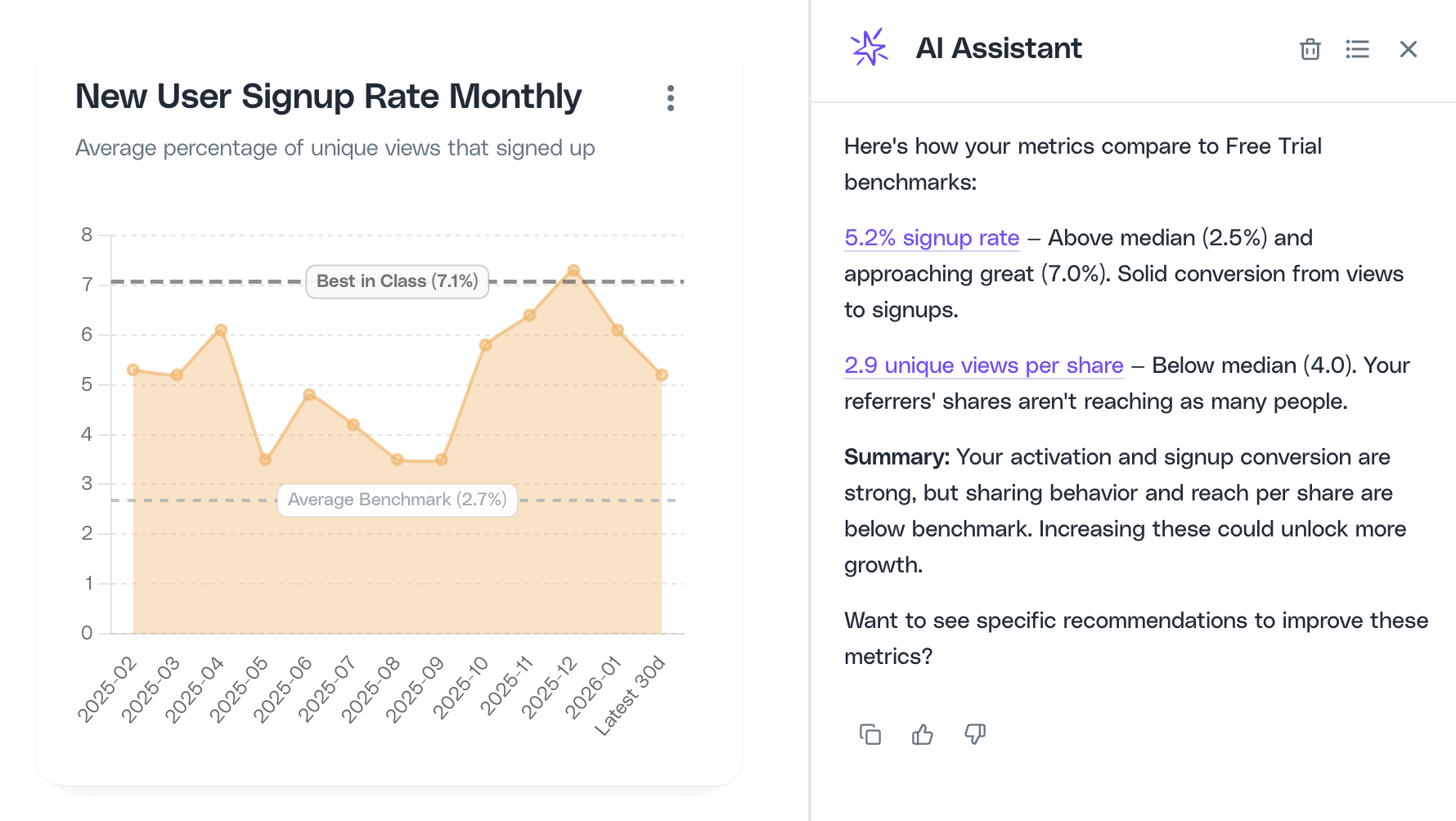 The assistant works best with specific questions about your program. See the [AI Prompt Library](/guides/ai-assistant/prompt-library) for examples organized by category.
## How responses are generated
Responses are grounded in your portal context, Cello metrics, benchmarks (when available), and Cello documentation. The assistant links to relevant charts, reports, or settings so you can verify data and take action quickly.
## When the assistant can't help
If the assistant can't answer a question confidently, it will let you know and help you reach Support so your request is handled quickly.
## Providing feedback
Your feedback helps us improve quality and coverage:
* **Rate responses** using thumbs up/down to help us understand what's working
* **Share details** when something is off - what you asked, what you expected, and a screenshot if possible
We use feedback to improve prompts, add missing documentation, expand the AI Prompt Library, and refine the assistant's capabilities.
## Privacy and data
The AI Assistant runs in Cello's EU-hosted AWS environment. Customer content is not used to train foundation models. The assistant only uses the minimum context needed to answer using approved Cello sources.
The assistant works best with specific questions about your program. See the [AI Prompt Library](/guides/ai-assistant/prompt-library) for examples organized by category.
## How responses are generated
Responses are grounded in your portal context, Cello metrics, benchmarks (when available), and Cello documentation. The assistant links to relevant charts, reports, or settings so you can verify data and take action quickly.
## When the assistant can't help
If the assistant can't answer a question confidently, it will let you know and help you reach Support so your request is handled quickly.
## Providing feedback
Your feedback helps us improve quality and coverage:
* **Rate responses** using thumbs up/down to help us understand what's working
* **Share details** when something is off - what you asked, what you expected, and a screenshot if possible
We use feedback to improve prompts, add missing documentation, expand the AI Prompt Library, and refine the assistant's capabilities.
## Privacy and data
The AI Assistant runs in Cello's EU-hosted AWS environment. Customer content is not used to train foundation models. The assistant only uses the minimum context needed to answer using approved Cello sources.